Mac mini M4 vs M6: What Actually Changed After Apple Skipped the M5?
Still holding on to my Mac mini M1 as my workstation, I told myself I would move up to Mac mini M5 when released. Instead, Apple has decided to release the Mac mini with M6 chip, the first chip in all of Apple’s line-up to receive the new silicon, just like when Apple first introduced their Apple silicon in the Mac mini back in November 2020.
Apple skipped the M5 generation for the Mac mini. That sounds like a small detail, but it says something important about where Apple thinks its smallest Mac is heading.
When the Mac mini received the M4 in 2024, it was already difficult to describe the little desktop as an entry-level computer. The redesigned 5-inch square enclosure packed considerable performance into a machine that could sit almost unnoticed beneath a monitor. For many users, the M4 Mac mini was less a compromise and more than enough computer for years to come.
Now Apple has gone one step further. There is no M5 Mac mini. Instead, the new generation jumps from M4 to M6, while the higher-end model gets the M5 Pro. The result is an unusual generational comparison: an M6 Mac mini arriving just two years after the M4, with Apple claiming significant gains in CPU, graphics, storage and, most notably, AI performance.
That raises a much more interesting question than simply asking which Mac mini is faster:
What has actually changed, and does an M4 owner have a reason to care?
First, let’s clear up the M5 confusion. Search for “Mac mini M5” and it is easy to assume there is a conventional M4-to-M5 upgrade path. There isn’t.
The 2024 Mac mini came with the M4 and M4 Pro. The 2026 generation introduces the M6 and M5 Pro. Apple has effectively moved the standard Mac mini past the M5 generation while using M5 Pro silicon for the more powerful configuration.
This matters because it changes how the upgrade should be understood. The comparison is not:
M4 → M5 = modest generational improvement
It is:
M4 → M6 = a larger architectural jump, with a much stronger emphasis on AI
And that makes the M4 Mac mini more interesting, not less.
Mac mini M4 vs M6: The numbers at a glance
| Mac mini M4 | Mac mini M6 | |
| Generation | 2024 | 2026 |
| CPU | 10-core | 12-core |
| GPU | 10-core | 12-core |
| Neural Engine | 16-core | Dual 16-core |
| Memory bandwidth | 120GB/s | Up to 170GB/s |
| Standard memory | 16GB | 16GB |
| Maximum memory | 32GB | 32GB |
| Storage | 256GB–2TB | 256GB–2TB |
| Ethernet | 1Gb | 2.5Gb |
| Optional Ethernet | 10Gb | 10Gb |
| Wi-Fi | Wi-Fi 6E | Wi-Fi 7 |
| Bluetooth | 5.3 | Bluetooth 6 |
| Rear Thunderbolt | Thunderbolt 4 | Thunderbolt 4 |
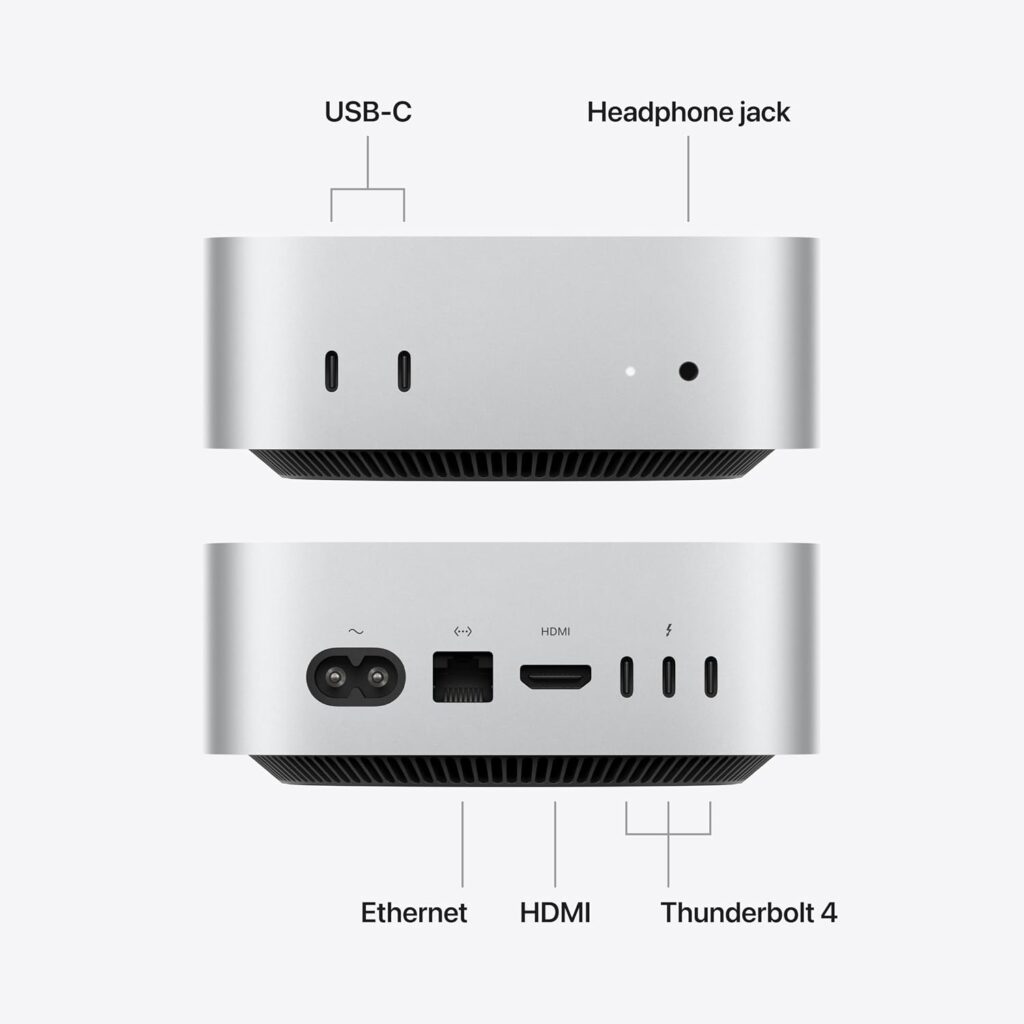
| Front USB-C | — | Two USB-C ports |
| Dimensions | 5 × 5 × 2 inches | 5 × 5 × 2 inches |
| Starting memory | 16GB | 16GB |
The M4 specification comes from Apple’s 2024 technical documentation, while the M6 specification comes from Apple’s current Mac mini specifications. And that table immediately tells us something important.
The Mac mini itself hasn’t really changed. The box is still essentially the same size. The transformation is happening inside it.
The M6 is not simply a faster M4. The easiest mistake to make is to look at the processor count and conclude that the M6 is only a slightly faster version of the M4. The M4 has a 10-core CPU and 10-core GPU, with 120GB/s memory bandwidth.
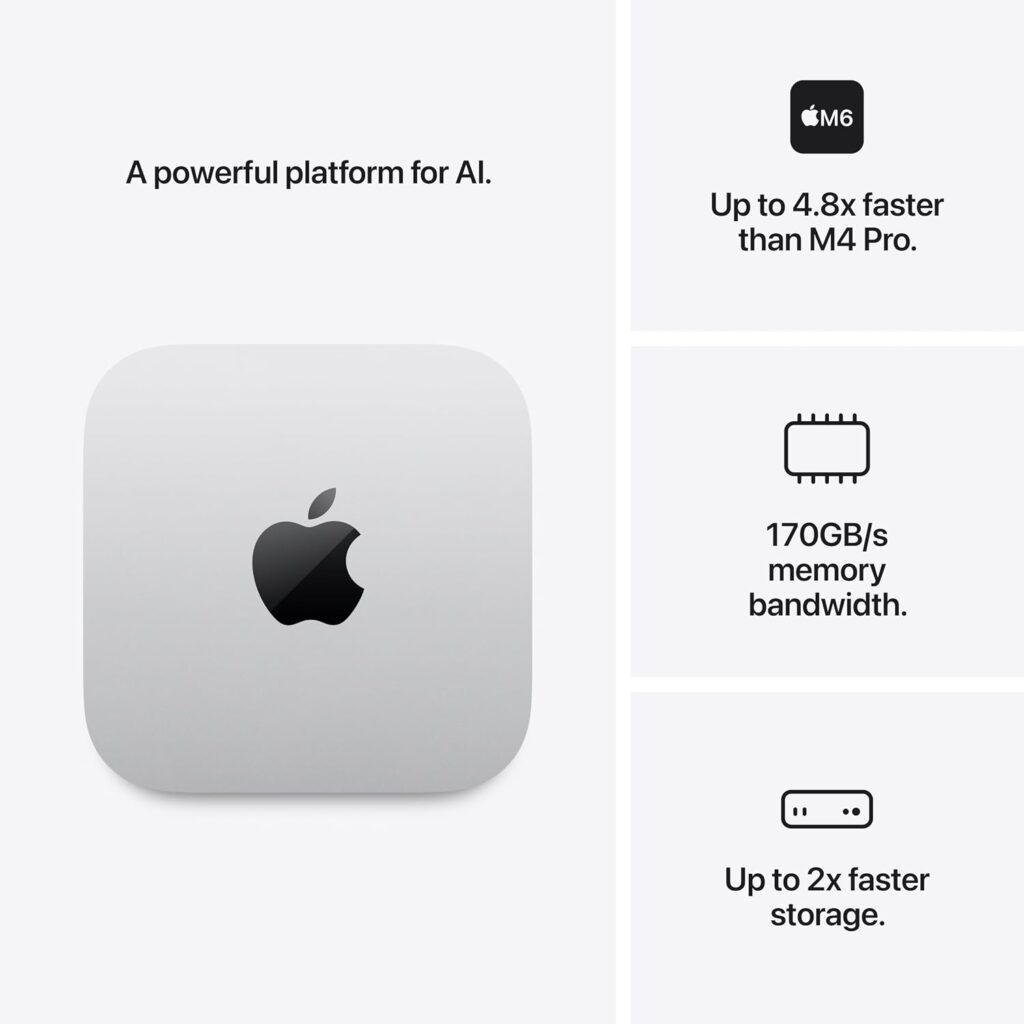
The M6 moves to a 12-core CPU and 12-core GPU, while increasing memory bandwidth to as much as 170GB/s. Apple also introduces a new dual 16-core Neural Engine architecture and Neural Accelerators within the GPU cores.
The important point is that not every improvement will be equally visible to every user. Opening Safari isn’t suddenly going to feel four times faster. Launching Word isn’t going to produce a dramatic transformation.
For basic desktop workloads, the M4 was already extremely quick. The M6 is instead designed to stretch the Mac mini into workloads that increasingly depend on local AI, graphics acceleration and sustained processing. That distinction is crucial.

AI is where Apple really wants the M6 to stand out
Apple’s headline claim is striking:
Up to 4× faster AI performance compared with the M4.
It also claims up to 2× faster graphics performance and 2× faster storage. Those numbers deserve some caution. They are Apple’s figures from specific workloads, not a universal statement that everything the M6 does is four times faster. But the direction is significant.
Apple is no longer presenting the Mac mini simply as a cheap desktop computer. It is increasingly positioning it as a machine capable of running AI locally — including local language models and AI agents.
That changes the role of a Mac mini. An M4 Mac mini can already run AI workloads. The M6 is being built to make those workloads more practical. And that may ultimately prove more important than a faster Geekbench score.
The Neural Engine story matters more than the CPU core count
Apple’s M4 already has a 16-core Neural Engine. The M6 takes a different approach, combining its GPU improvements with a new dual 16-core Neural Engine. The GPU itself now incorporates Neural Accelerators, which Apple says contribute to the substantial increase in AI performance.
This is part of a wider change in personal computing. For years, processor upgrades were mostly about making applications faster. Now the question is increasingly:
How much AI can the computer process locally?
That includes image manipulation, transcription, summarisation, local language models, coding assistants and increasingly autonomous AI workflows. The Mac mini’s compact size makes it particularly interesting here.
A small, quiet desktop that can remain permanently connected to a network, display and storage could become a useful local AI machine rather than simply another general-purpose PC.
The biggest everyday upgrade might actually be Ethernet
AI gets the headlines, but networking may be one of the most practical improvements. The M4 Mac mini has Gigabit Ethernet as standard, with 10Gb Ethernet available as an option. The M6 moves to 2.5Gb Ethernet as standard, with 10Gb Ethernet still available as an upgrade.
For someone using the Mac mini for browsing, Office work, streaming and everyday computing, this may make almost no difference. For a home server, media library, network storage setup, development machine or local AI workstation, it is much more interesting.
A Mac mini connected to a fast NAS can spend far less time waiting for large files to move. This is one of those specifications that looks boring on an Apple product page but becomes much more relevant once the Mac mini is used as part of a larger setup.
Wi-Fi 7 and Bluetooth 6 bring the Mac mini up to date
The M6 also moves wireless connectivity forward with Wi-Fi 7 and Bluetooth 6. Again, this isn’t necessarily a reason for an M4 owner to upgrade. If the home network is running Wi-Fi 5 or Wi-Fi 6, the difference may be negligible. But the M6 is being designed for a different lifespan.
A computer bought in 2026 could reasonably be expected to remain in service well into the early 2030s. Newer networking standards therefore matter less for what the Mac mini can do today and more for how well it will fit into future networks.
FYI, the Mac mini M4 features Wi-Fi 6E (802.11ax) with 2×2 MIMO and simultaneous dual-band/tri-band support.
Apple has kept the dimensions almost unchanged
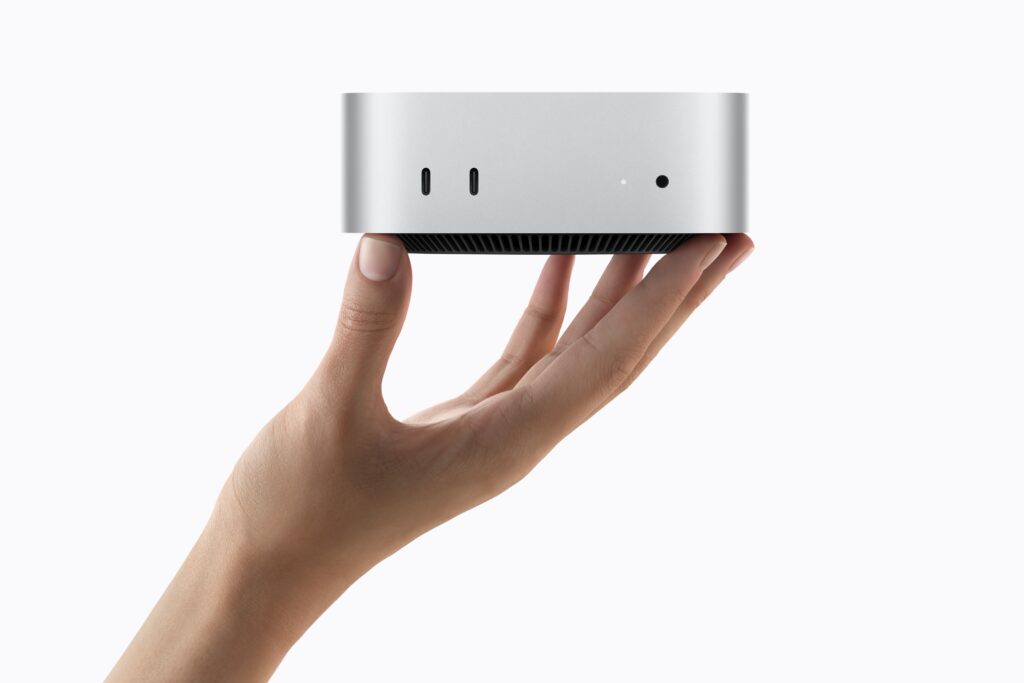
Perhaps the least surprising part of the new Mac mini is its physical design. The M6 remains a tiny 5 × 5-inch desktop, just like the M4 generation. This is actually good news.
The 2024 redesign was one of the Mac mini’s biggest changes. Apple reduced the footprint dramatically, added front-facing ports and made the machine feel much more modern. There was little reason to redesign it again.
The M6 therefore follows a familiar Apple strategy, keep the enclosure and improve almost everything inside it. That also means M4 owners don’t have to replace their desk setup simply to move to the new generation.
So how much faster will the M6 actually feel?
This is where specifications can become misleading. For everyday users, the answer may be: Not very much.
An M4 Mac mini is already fast enough that web browsing, email, Microsoft Office, Photoshop, programming and general multitasking rarely feel constrained by the processor. The M6 isn’t going to turn a slow computer into a fast one.
It is going to turn a very fast computer into a more capable one. That is an important distinction. The difference becomes more apparent with workloads that can exploit the additional GPU resources, faster memory, storage improvements and AI acceleration.
Apple cites up to 40% faster CPU performance, alongside the larger gains in AI, graphics and storage. For a user who spends all day compiling code, processing images, editing video or running local AI models, those improvements can add up.
For someone writing emails and watching Netflix, the M4 is already overqualified.
The M4 Mac mini may actually be the bargain
This is the part that gets lost when looking only at Apple’s latest product. The M6 is the better computer. That doesn’t automatically make it the better purchase.
The M4 Mac mini has become an interesting proposition precisely because its performance remains so strong. A discounted M4 with 16GB of unified memory could be an exceptionally capable desktop for someone who does not need the latest AI capabilities or faster networking.
The M4 also starts from the same 16GB memory baseline as the M6, while its maximum configurable memory is 32GB. That means the buyer deciding between an inexpensive M4 and a more expensive M6 should think carefully about workload rather than simply choosing the newer number.
Who should upgrade from M4 to M6?
There are several groups for whom the M6 makes considerably more sense.
Local AI users: This is probably the clearest group. If the Mac mini is going to run local language models, AI tools, image generation or agentic workflows, the additional AI hardware could make the M6 substantially more attractive.
Developers: Developers working with containers, virtual machines, large codebases and local AI development can benefit from faster processing and networking. The Mac mini’s small footprint also makes it attractive as an always-on development or server machine.
Creative professionals: Video editors, photographers, 3D artists and other creative users are more likely to notice the additional GPU performance and faster storage.
Home server and NAS users: The jump to 2.5Gb Ethernet is easy to overlook but potentially significant. For a Mac mini connected to fast network storage, it can make a meaningful difference.
People buying for the long term: Someone buying a Mac mini today and planning to keep it for six or seven years may reasonably prefer the newer architecture and connectivity.
For the rest of us, and I am going to be brutally honest – don’t bother. Keep your Mac mini m4 Mac.
Who should keep the M4?
For many people, this is the more sensible question. Keep the M4 if it already handles what you do. That includes:
- Web browsing
- Microsoft 365
- Streaming
- General office work
- School and university work
- Light programming
- Everyday photo editing
- Basic video editing
- Home automation
- Media servers
- General macOS use
There is no shame in keeping an M4. In fact, the M4 Mac mini is arguably one of those computers where the technology has reached the point where performance is no longer the main reason to upgrade.
The more interesting question: M4 or M6 for a new buyer?
For someone buying their first Mac mini, the decision is different. The M4 is now the value proposition.
The M6 is the longevity proposition. An M4 bought at a substantial discount could provide excellent performance for years. An M6 costs more, but brings newer connectivity, faster storage, more capable AI hardware and a newer generation of Apple silicon.
The deciding factor should therefore be price difference versus intended lifespan. If the M4 is £200–£300 cheaper, that is a serious argument in its favour. The base unit Mac mini M6 is already £100 more expensive. Couple that with the potential savings the outgoing Mac mini M4 as a refurbished or new with offer, you might be looking at around 30-40% savings. If the difference is relatively small, the M6 becomes much easier to justify.
And then there is the M5 Pro
Apple’s decision becomes even more interesting at the top end. Instead of an M6 Pro Mac mini, Apple has introduced an M5 Pro Mac mini.
This is not simply an M6 with fewer features. The M5 Pro is aimed at a different class of workload, with substantially higher memory configurations and Thunderbolt 5 connectivity. Apple offers up to 64GB of unified memory and up to 8TB of SSD storage on the M5 Pro configuration.
That creates an unusual Mac mini hierarchy: M4 → M6 → M5 Pro
The numbers look strange. The product strategy makes considerably more sense. The standard Mac mini moves forward to Apple’s newest mainstream silicon, while the Pro model uses the previous generation’s higher-performance architecture.
The Mac mini has quietly changed category
Perhaps the biggest story isn’t the M6 chip at all. It is the changing role of the Mac mini.
The original appeal was simple: A small, affordable Mac for people who already had a monitor, keyboard and mouse. That remains true. But Apple’s latest generation points towards something broader.
The Mac mini can now be a desktop workstation, development machine, creative computer, home server, network appliance or local AI machine, all in a box small enough to fit into one hand. The M4 started this transformation. The M6 pushes it further.
So, is the M6 worth upgrading from the M4?
For most M4 owners:
No.
And that is perhaps the most honest conclusion.
The M4 is already extremely capable, and Apple has not introduced a completely new Mac mini design that makes the previous generation obsolete.
The M6 becomes compelling when the workload changes. If local AI, faster graphics, high-speed networking, demanding creative work or long-term future-proofing are priorities, the M6 makes a strong case.
For ordinary desktop computing, the M4 remains more than capable. And that leads to a rather refreshing conclusion in an era where every new processor is presented as something we urgently need:
The M6 is a better Mac mini. It doesn’t make the M4 a bad one.