MacBook Neo vs Mac mini M6 vs MacBook Air M5: Which Mac Is Worth Buying for Students in 2026?
Apple’s Mac mini used to be one of the easiest Macs to recommend to students on a budget. The previous M4 model started at £599, leaving enough money for a decent monitor, keyboard and mouse. The new Mac mini M6 starts at £899. That’s a £300 increase before you’ve bought a single peripheral.
At the same time, the MacBook Neo has arrived as Apple’s affordable laptop, with the 256GB model costing £699 and the 512GB model costing £799. The MacBook Air M5 sits above it, offering more memory, a more capable chip and a better-equipped laptop experience.

Suddenly, choosing a Mac for university isn’t quite so straightforward.
Should you buy the Mac mini M6 and build your own desktop setup? Save £100 with the MacBook Neo and have a computer you can take to lectures? Or spend more on the MacBook Air M5 and get a laptop with more room for demanding work?
I’ve compared the three from a student’s perspective, looking beyond Apple’s marketing to the specifications, limitations, upgrade costs and practical differences that matter over three or four years of university.
My conclusion is that the MacBook Neo is the sensible starting point for most students, the Mac mini M6 makes more sense for those who already own a suitable desktop setup, and the MacBook Air M5 earns its premium when your course or working habits genuinely need the extra capability.
Apple MacBook Neo vs Mac mini M6 vs MacBook Air M5: The Price Comparison
Let’s start with the numbers. These are Apple’s UK starting prices at the time of writing, excluding discounts from third-party retailers.
| Feature | MacBook Neo 512GB | Mac mini M6 | MacBook Air 13-inch M5 |
| Standard starting price | £699 | £899 | £1,299 |
| Education starting price | £599 | £799 | £1,199 |
| Processor | Apple A18 Pro | Apple M6 | Apple M5 |
| Unified memory | 8GB | 16GB | 16GB |
| Starting storage | 256GB SSD | 256GB SSD | 512GB SSD |
| Built-in display | 13-inch | No | 13.6-inch |
| Battery | Up to 16 hours video streaming | None | Up to 18 hours video streaming |
| Portability | Laptop | Desktop only | Laptop |
| Best suited to | Everyday student work | Desk-based work | Demanding work on the move |
Apple has increased the prices of their devices across the board due to increase in cost of memory. If you have found a 13-inch configuration listed at less than £1,299, check its memory, storage and retailer pricing. Apple’s 15-inch MacBook Air M5 now starts at an eye watering £1,499. MacBook Air is no longer the cheap entry MacBook it used to be. The comparison here uses the entry-level 13-inch model.
The price gap between the Neo and the 13-inch Air is therefore £600 at standard or education pricing, a huge jump compared to before the price hike. The Mac mini costs £200 more than the 256GB Neo and £100 more than the 512GB Neo. This makes the 256GB or even the 512GB Neo the best value entry value Mac device.
That last comparison looks attractive until you remember one important detail: the Mac mini is only the computer. The Neo and Air come with their own screens, keyboards, trackpads and batteries.
1. MacBook Neo 512GB: The Student Mac That Makes the Most Sense for Everyday Work
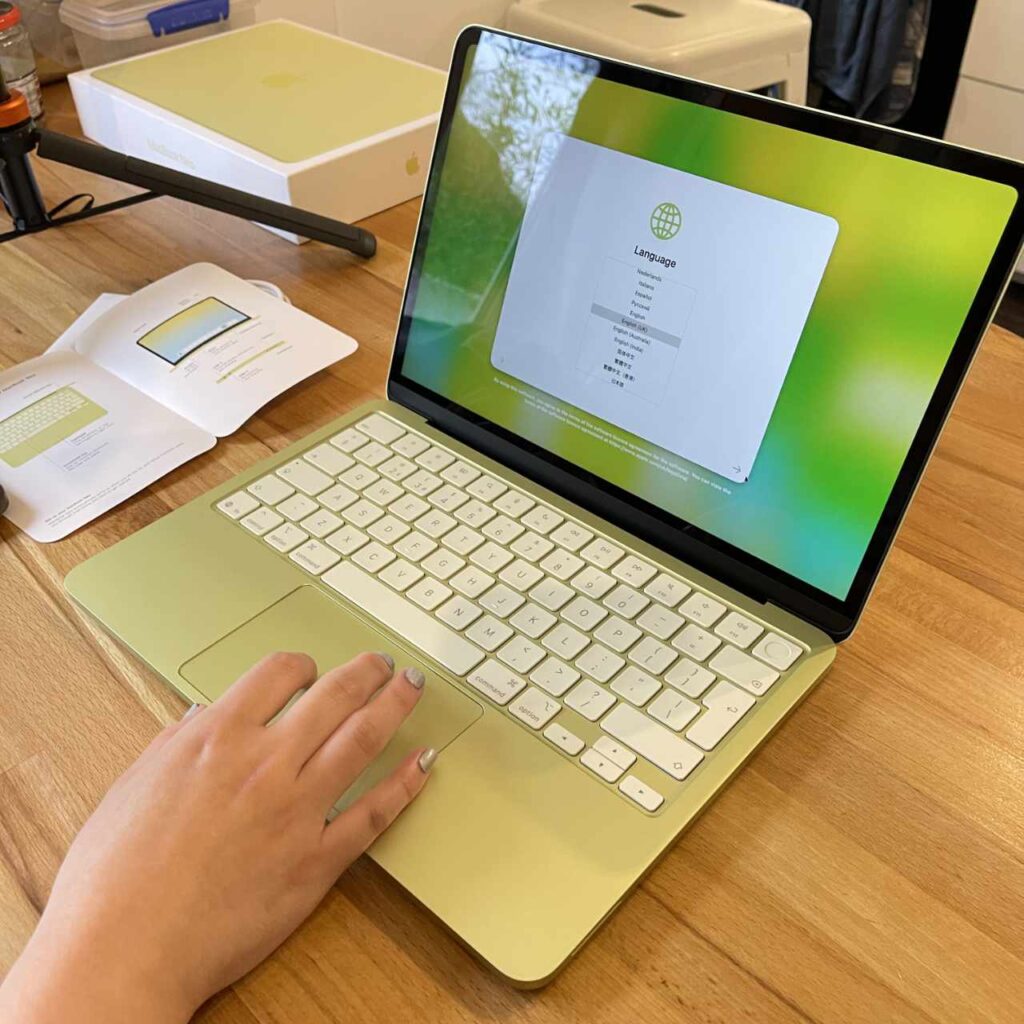
The MacBook Neo is the most affordable way into Apple’s current laptop range, and that makes it immediately appealing to students who need a computer for coursework, research and everyday university life.
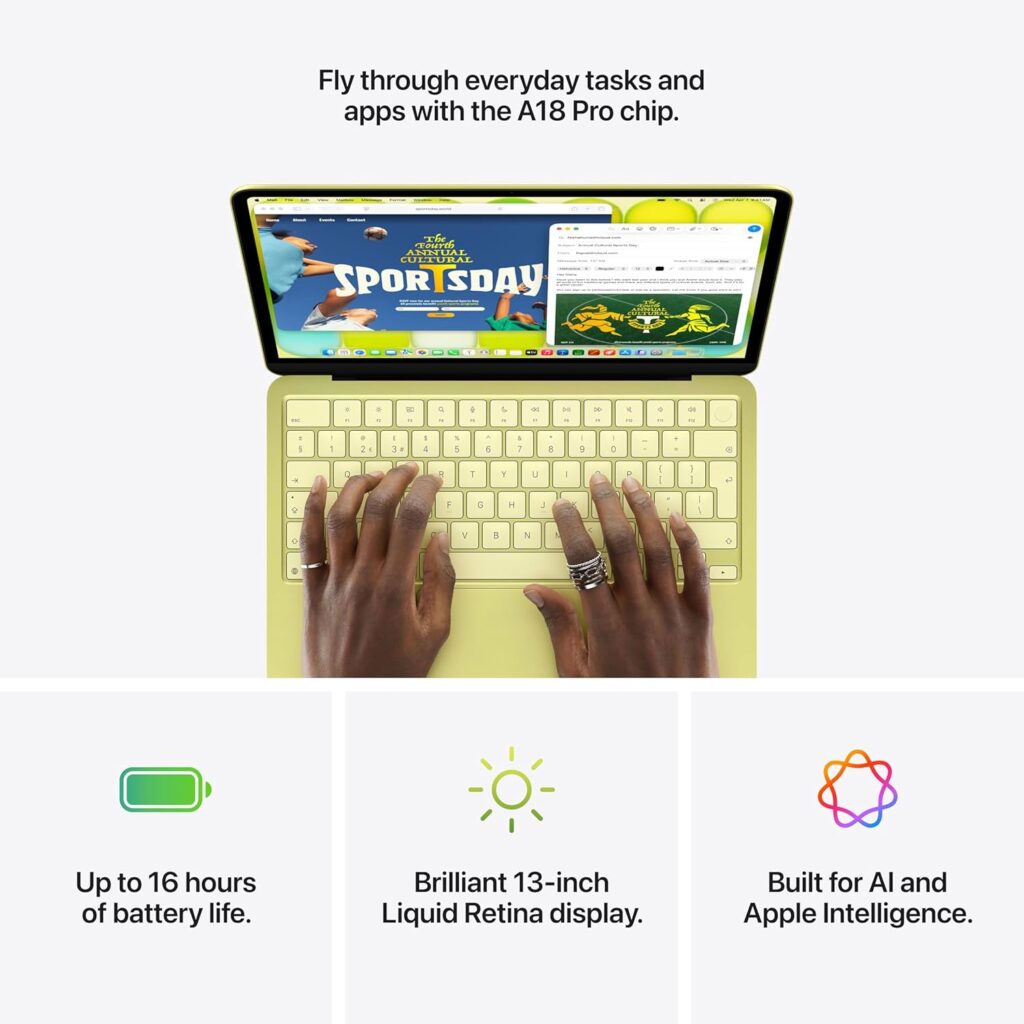
The 512GB version costs £799 and includes Touch ID. It is powered by Apple’s A18 Pro chip, the same family of processor used in the iPhone 16 Pro generation. The chip has a six-core CPU, a five-core GPU and a 16-core Neural Engine. That is a capable platform for a surprisingly broad range of everyday tasks.
What the MacBook Neo gets right
For essays, web research, lecture notes, presentations, online meetings and learning management systems, the Neo has more than enough processing power. You can run a browser with multiple tabs, work in office applications, stream lectures and communicate with classmates without needing a more expensive Mac simply for the sake of it.
The 13-inch Liquid Retina display has a resolution of 2408 × 1506 pixels and a rated brightness of 500 nits. It is sharp enough for reading text and working with documents, while the compact form makes it easy to carry between lectures, the library and home.
Apple rates battery life at up to 16 hours of video streaming and up to 11 hours of wireless web browsing. Those are laboratory figures, not a guarantee of a full day under every workload, but they give you an idea of the Neo’s intended role as a portable study machine.
The 512GB model is particularly attractive. University work accumulates quickly, from downloaded reading materials and presentations to photos, videos and project files. Having 512GB from the outset gives you more breathing room than the 256GB entry-level model. This also means you don’t have to rely on an external SSD or flash drive to store your files but more for the occasional backup.
For a student whose workload consists mainly of writing, research, communication and online learning, the Neo is a sensible purchase.
The problem with 8GB of memory
The biggest compromise is the 8GB of unified memory. You cannot upgrade it after purchase.
Apple silicon uses unified memory shared between the CPU, GPU and other parts of the system. That arrangement is efficient, but 8GB still imposes a limit on how much work you can comfortably keep running at once, particularly when applications and browser tabs become demanding.
For ordinary university work, 8GB can be adequate. macOS manages memory intelligently, and the Neo is not automatically going to struggle because you have a few documents and browser tabs open. The concern is longevity and workload.
Run a large development environment, a virtual machine, a demanding photo editor and a browser with many tabs, and the limitations become more relevant. Memory pressure can cause macOS to rely more heavily on SSD swap, which helps keep applications running but is slower than accessing RAM directly.
You also need to consider your course. A student studying history, English or business administration has very different computing needs from someone working with large datasets, complex creative projects or multiple development tools.
The Neo is a budget laptop, and its fixed 8GB memory is the compromise that makes the price possible. You should buy it with that limitation in mind.
The other compromises you need to know about
The Neo has two USB-C ports, but they are not equivalent. One supports USB 3 at up to 10Gbps, while the other is limited to USB 2 at up to 480Mbps. Both can be used for charging, but the slower port is a poor choice for fast external storage.
It also supports one external display at up to 4K and 60Hz, alongside its built-in screen. That is enough for many desk setups, but it is more restrictive than the Mac mini’s multiple-display capabilities.
The display uses the sRGB colour space, rather than the wider P3 colour gamut supported by the MacBook Air. This matters more for colour-sensitive photography and design work than for writing essays or browsing the web. You also get a more limited selection of ports and fewer premium features than on the Air. These are meaningful compromises, but they don’t make the Neo a bad computer. They define the audience it suits.
Students Deide: If your course involves conventional student work and you want one computer that travels with you, the MacBook Neo 512GB is the best place to start. Its memory limitation is worth considering carefully, but you shouldn’t pay hundreds of pounds more for performance you may never use.
2. Mac mini M6: Still Worth Buying After the Price Increase?
The Mac mini M6 is a much more powerful desktop proposition, but its £899 starting price changes the value calculation considerably. The previous Mac mini M4 was attractive because it delivered a capable desktop Mac for £599. Students could spend the remaining budget on a monitor, keyboard and mouse, or use peripherals they already owned.
With the M6, the starting price is £300 higher.
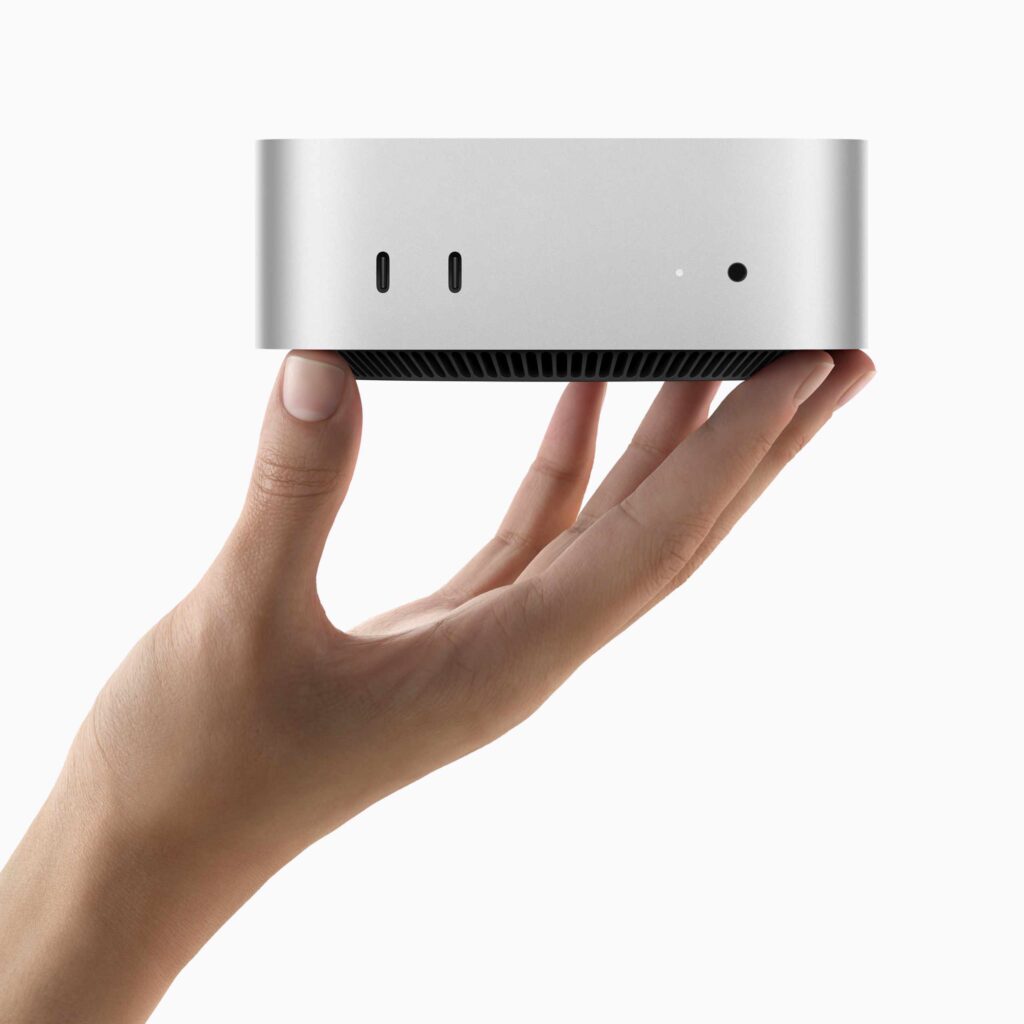
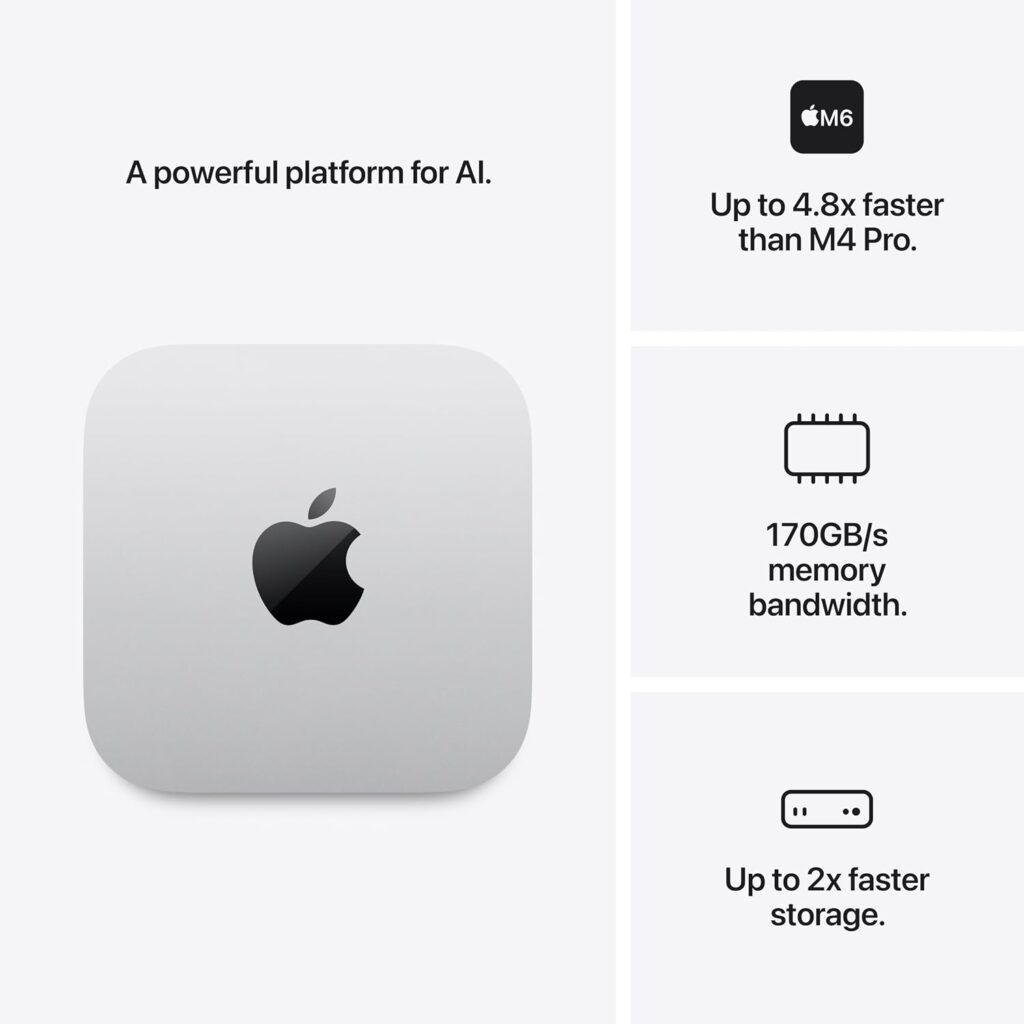
Apple’s new M6 chip has a 12-core CPU and a 12-core GPU, with Neural Accelerators in the GPU cores and a Dual 16-core Neural Engine. The base Mac mini comes with 16GB of unified memory and a 256GB SSD. Apple claims up to 40% faster CPU performance and up to twice the graphics performance of the previous-generation Mac mini M4, alongside substantial gains in AI workloads.
Source: Apple announces the new Mac mini with M6.
These are substantial specifications for a compact desktop. The question is how much of that capability a student will actually use.
Where the Mac mini M6 is worth the money
The Mac mini makes a lot of sense for students who work primarily at a desk. Computer science, software development, data analysis, engineering-related applications and some creative workloads can benefit from its extra memory and more powerful processor.
Its active cooling also gives the desktop more scope to sustain demanding workloads. The MacBook Neo’s A18 Pro chip is efficient and capable, but the M6 is designed for a different class of computer.
The Mac mini is also a good option if you already have a monitor, keyboard, mouse and speakers. You can connect your existing peripherals and put the money you save towards storage, backup or other essentials.
Its connectivity is another advantage. You get front USB-C ports, three Thunderbolt 4 ports at the rear, HDMI, Ethernet and a headphone socket. It supports multiple external displays, making it useful for students who want a large workspace for coding, spreadsheets, video editing or research.
The small aluminium enclosure takes up little desk space, and the computer is designed to run quietly during ordinary work. For a student who needs a capable desktop and already has the equipment to use it, the M6 can be a very good investment.
The hidden cost of buying a desktop
The Mac mini’s biggest weakness for students is not its performance. It is the fact that you need to supply the rest of the computer setup. If you don’t already own a monitor, keyboard and mouse, you need to budget for them. You may also need a webcam, speakers or headphones, depending on how you study and attend online meetings.
You don’t have to buy Apple’s own accessories. A good third-party monitor and a basic keyboard and mouse can keep the total cost under control. You might even have a spare monitor at home that can be used. However, you need to compare the complete setup with the cost of a laptop, rather than comparing the Mac mini’s price with the price of a complete MacBook.
The difference can be substantial. The Neo is ready to use straight out of the box, and you can take it to a lecture or library without buying anything else. The Mac mini also has no built-in battery or display. It stays on your desk, which may be inconvenient if you move between university accommodation, a shared study space and home.
Is the 256GB SSD enough?
The base Mac mini M6 comes with a 256GB SSD. That is a relatively modest amount of storage for a desktop computer costing £899. It is sufficient for office work and many student applications, particularly if you store large files externally or in cloud services. However, creative projects, virtual machines, local AI models, large software development environments and media libraries can consume storage quickly.
The internal storage is not designed for straightforward user upgrades after purchase. If you think you will need more space, compare the price of a higher-capacity configuration with the cost of a fast external SSD before ordering.
The same applies to memory. The standard 16GB is much more comfortable for multitasking than the Neo’s 8GB, but students working with particularly demanding software may want to consider a 24GB or 32GB configuration. Those upgrades add to the price.
Students Choose: The Mac mini M6 remains worth considering, especially for students who already own a good monitor and peripherals. At £899, it is no longer the obvious budget Mac for everyone. Its strongest case is a desk-based student who needs the extra computing capability and can keep the total setup cost under control.
3. MacBook Air 13-inch M5: Is the Upgrade Worth £300?
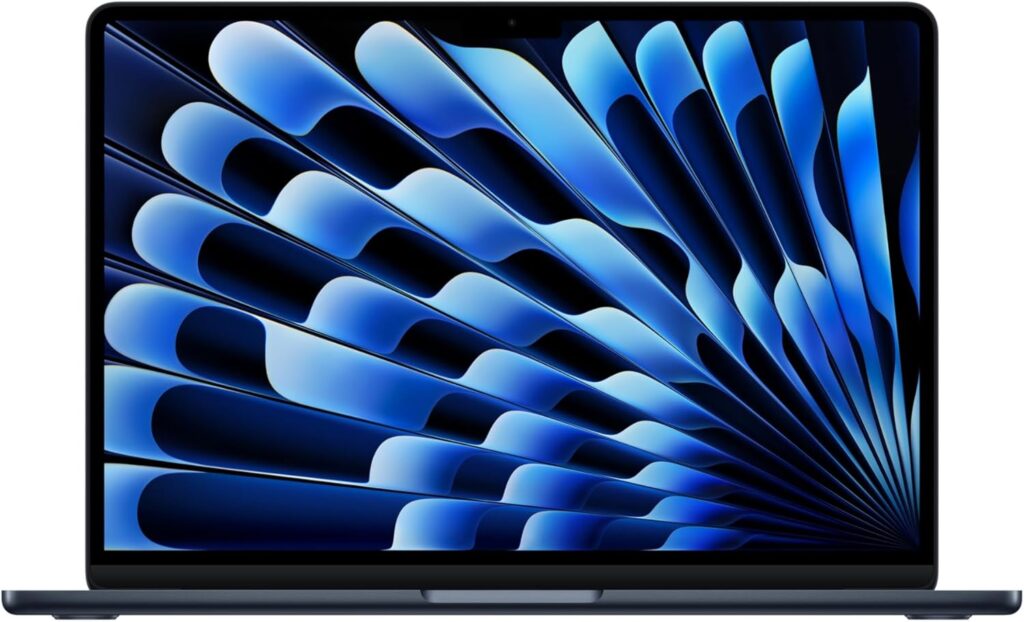
The MacBook Air M5 occupies the middle ground between the Neo and the more powerful desktop. It is the laptop for students who want portability and greater capability without moving to a MacBook Pro. The 13-inch model starts at £1,299, with education pricing from £1,199. Its entry configuration includes 16GB of unified memory and a 512GB SSD.
That gives it twice the memory of the Neo and the same starting storage capacity as the 512GB Neo.
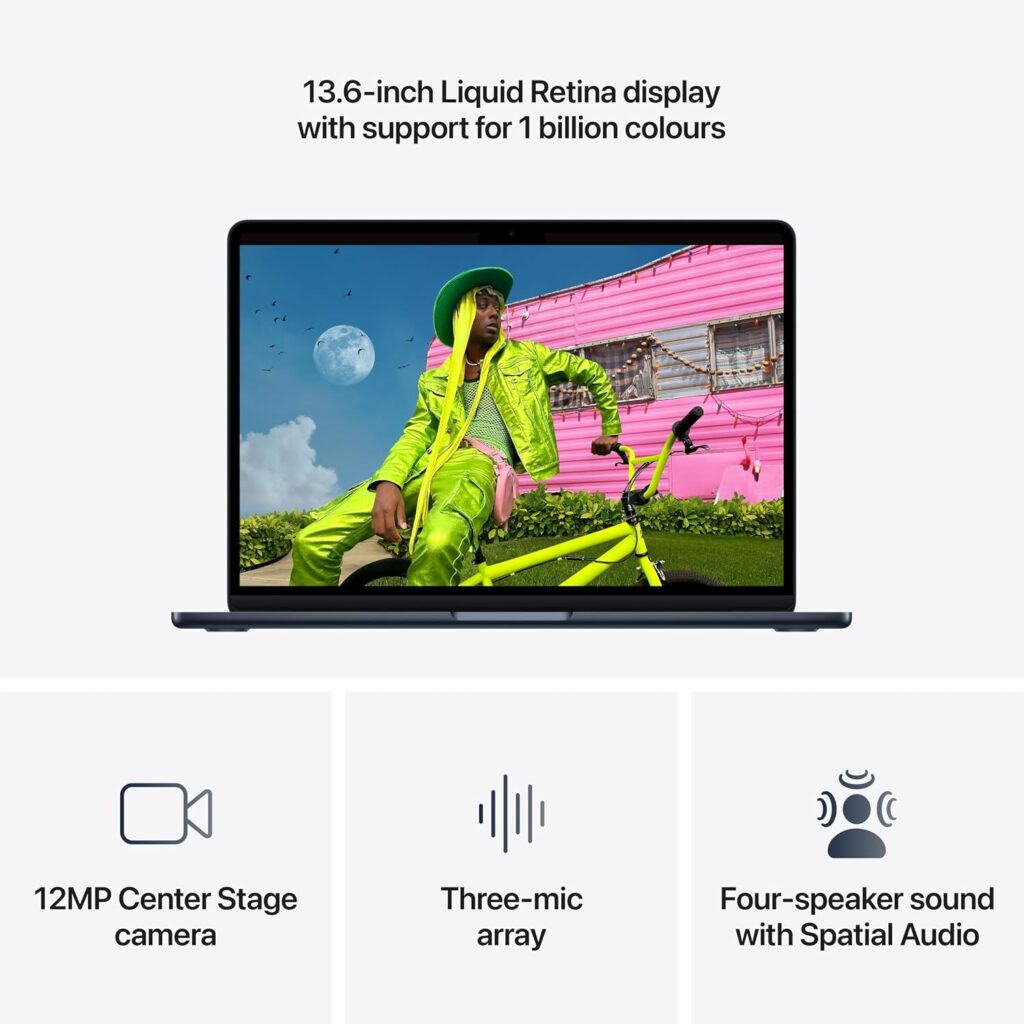
The M5 chip has a 10-core CPU, an eight-core GPU in the base configuration and a 16-core Neural Engine. The Air also has Neural Accelerators in its GPU cores, helping with supported AI workloads. Its memory bandwidth is 153GB/s, compared with 60GB/s for the A18 Pro in the Neo.
Source: Apple MacBook Air M5 technical specifications.
Where the Air earns its premium
The biggest practical advantage is the combination of performance and portability. You can take the Air to lectures, work in the library, connect to an external display at home and run more demanding applications without being tied to a desk.
The extra memory gives you more headroom for multitasking and heavier applications. That can matter for students who keep several applications open at once, use development environments, edit photographs or videos, or work with large datasets.
The display is also better equipped for creative work. The Air’s 13.6-inch Liquid Retina panel has a resolution of 2560 × 1664 pixels, supports the wider P3 colour gamut and offers True Tone technology. It is a small step up in size and resolution from the Neo’s 13-inch display.
Connectivity is another advantage. The Air has MagSafe charging and two Thunderbolt 4 ports, which support faster data transfer and a broader range of peripherals. It can support up to two external displays, subject to Apple’s display requirements.
Apple rates the Air for up to 18 hours of video streaming and up to 15 hours of wireless web browsing. Actual battery life depends on brightness, applications and workload, but the Air is designed for extended mobile use.
These features add up to a laptop with more headroom for the demands of a degree that involves creative software, coding, technical applications or extensive multitasking.

When the Air is an unnecessary expense
If you’re mainly writing essays, researching online, watching lectures and creating presentations, the MacBook Air M5 is likely to feel very similar to the Neo in day-to-day use.
Both are responsive laptops with sharp displays, good battery life and the ability to run macOS applications. The Air’s extra performance will be less noticeable when your work consists of opening documents, browsing websites and sending emails.
That is why the £400 standard-price difference needs to be justified by your actual workload.
If you’re a student on a tight budget, that £400 could go towards textbooks, accommodation, transport or other essentials. Even if you can afford the Air, buying more computer than you need is not automatically a good investment.
The Air is also fanless, like the Neo. That keeps it silent during operation, although sustained heavy workloads can cause performance to be managed to control heat. Students who regularly run very demanding tasks should consider the requirements of their specific software rather than assuming the Air is equivalent to a MacBook Pro.
Students Choose: The MacBook Air M5 is the better choice for students who need a more capable laptop and intend to use it throughout a demanding degree. The extra memory, faster chip, wider-gamut display and stronger connectivity are worthwhile benefits. For conventional coursework, the Neo is much harder to dismiss.
4. Performance: How Much Mac Do You Actually Need?
Apple’s chip names can make the buying decision seem straightforward: M6 is newer than M5, and both sound more powerful than the A18 Pro. But raw processor performance is only one part of the decision.
The three computers have different thermal designs, memory capacities, storage configurations and intended uses. A benchmark result from one application won’t tell you how well a machine handles every university workload.
| Student workload | MacBook Neo | Mac mini M6 | MacBook Air M5 |
| Essays, research and presentations | Excellent fit | More than sufficient | Excellent fit |
| Online lectures and video calls | Good fit | Good, with peripherals | Good fit |
| Many browser tabs and applications | Adequate, with less memory headroom | Good with 16GB or more | Good with 16GB or more |
| Software development | Suitable for lighter work | Strong desktop option | Strong portable option |
| Large datasets and technical workloads | Check software requirements carefully | Better suited to demanding sustained work | Better suited to demanding mobile work |
| Photo editing | Suitable for lighter projects | Strong, depending on configuration | Strong, depending on configuration |
| Video editing | Basic to moderate projects | Better for sustained desktop work | Better for portable creative work |
| Local AI models | Limited by 8GB memory | More suitable, depending on model size | More suitable, depending on memory configuration |
| Multiple external displays | One external display | Supports multiple displays | Supports up to two external displays |
This is a practical assessment based on the hardware and typical workload requirements, not a claim that every application will perform identically. Always check the minimum and recommended specifications of any specialist software required by your course.
Don’t buy an M6 just because it is faster
The Mac mini M6 offers more processing capability than most students need for everyday work. That does not mean its performance is wasted in every case, but it does mean the extra money may deliver little practical benefit for some buyers.
A student writing essays and researching online won’t necessarily complete assignments faster with an M6. The same student might benefit more from a laptop that allows them to work in the library or take notes during lectures.
For a software engineering student compiling large projects or someone processing large media files, the M6’s extra CPU and GPU capability may be much more valuable. The correct comparison starts with the software and tasks you expect to use over the next three or four years, rather than the processor generation alone.
5. The Total Cost of Ownership: The Mac mini Needs a Proper Budget
The Mac mini is often judged by its attractive desktop form factor and performance-per-pound. The price of the computer alone, however, is only part of the equation. Consider the equipment you already own before deciding.
| Item | MacBook Neo | Mac mini M6 | MacBook Air M5 |
| Computer | £699 | £899 | £1,299 |
| Display | Included | Buy separately or reuse existing | Included |
| Keyboard and pointing device | Included | Buy separately or reuse existing | Included |
| Battery | Included | Not applicable | Included |
| Webcam | Included | Buy separately or use existing equipment | Included |
| Additional storage | Optional | Optional | Optional |
| Desk setup required | No | Yes | No |
The Neo and Air both work as complete computers. The Mac mini requires additional equipment, but that equipment doesn’t necessarily need to be expensive. If you already have a monitor, keyboard and mouse, the Mac mini can be a very attractive purchase. If you need to buy everything from scratch, the laptop options become more competitive.
There is another consideration: a laptop can be connected to an external monitor at home and then taken away for lectures. That gives you two working environments from one computer. With a desktop, you may eventually find yourself needing a second device for mobile work. For many students, that convenience is worth more than a desktop’s extra processing power.
6. Which Mac Should You Buy for Your University Course?
The right Mac depends on the demands of your degree and the way you study. Here is how I’d approach the decision.
A. Humanities, law, history and social sciences
Recommendation: MacBook Neo 512GB.
These courses generally involve research, writing, online resources, presentations and communication. The Neo is well suited to those tasks, and the 512GB SSD gives you useful room for documents and files.
The Air is worth considering if you prefer its display, want more memory headroom or expect to use the laptop for demanding tasks outside your course. Otherwise, the Neo is a sensible way to save money.
B. Business, accounting and economics
Recommendation: MacBook Neo for ordinary coursework; Air M5 for heavier multitasking.
- The Neo can handle documents, presentations, browser-based applications and many spreadsheets. If your course involves very large datasets, specialist analytical software or several demanding applications running together, the Air’s 16GB memory and M5 chip provide more headroom.
- Check software compatibility before purchasing. Some university courses require Windows-only applications, and running them on a Mac can involve additional work or a different solution.
C. Computer science and software engineering
Recommendation: Mac mini M6 for a desk-based setup, or MacBook Air M5 for portability.
- Both have 16GB of memory in their entry configurations, giving them more room for development tools, compilers and multitasking than the Neo’s 8GB.
- The Mac mini is appealing if you have a permanent desk and need sustained performance. The Air is the more flexible choice if you work in laboratories, libraries and shared spaces.
- The Neo can still handle introductory programming and lighter development tasks. Its 8GB memory is the reason I’d be more cautious about choosing it for a demanding multi-year software development course.
D. Graphic design, photography and video production
Recommendation: MacBook Air M5, or Mac mini M6 if you already have a suitable creative workstation.
- The Air’s P3 display, 16GB of memory and M5 chip make it a more versatile creative laptop. The Mac mini offers a stronger desktop platform, multiple display support and a good selection of ports.
- For demanding video production, 3D work or professional creative applications, check the software requirements carefully. Depending on your workload, you may benefit from more memory or a higher-tier machine than any base configuration here.
- The Neo is suitable for lighter creative work, but I would be reluctant to recommend it as the primary computer for a course built around demanding creative software.
E. STEM, engineering and data science
Recommendation: Mac mini M6 or MacBook Air M5, depending on portability.
- These courses can involve simulations, programming, large datasets and specialist applications. The M6’s performance and desktop cooling make it appealing for a fixed workstation, while the Air is easier to take between classes and study spaces.
- Before buying any Mac, confirm that the required software runs natively on macOS or has an acceptable alternative. Some engineering applications and university systems are designed primarily for Windows.
- For local AI development or workloads that need large models in memory, consider a higher-memory configuration and research the memory requirements of your intended tools. The M6’s AI capabilities are promising, but a fast chip cannot remove the limitations of a model that needs more memory than the computer has available.
Which Mac Is Worth Buying for Students in 2026?
The Mac mini M6’s £899 starting price has changed the conversation. It remains a capable desktop, but the old argument that it is the obvious bargain Mac for everyone no longer holds as neatly. Students need to consider the cost of a monitor and peripherals, and they should be honest about how much desktop performance they actually need.
For most students, I would start with the MacBook Neo 512GB. At £799, it provides a complete, portable Mac with enough performance for everyday university work. Its 8GB of memory is a real limitation, so students expecting to use demanding creative applications, extensive development tools or local AI models should consider the alternatives carefully. The 256GB version at £699 is only worth considering if you don’t mind carrying with you an external SSD storage.
The Mac mini M6 is the right choice for students who already own the equipment for a desktop setup and need more performance, memory headroom and connectivity. It is particularly attractive for desk-based coding, data analysis and creative work. If you need to buy every peripheral, calculate the total cost before committing. Remember, this is a desk bound computer, not a portable. So you may need a second mobile device like a tablet to work on the go.
The MacBook Air M5 is the best fit for students who need a more capable laptop. Its 16GB of memory, M5 chip, P3 display and Thunderbolt connectivity give it more room to handle demanding workloads. The £400 premium over the Neo at standard pricing is worth paying when those advantages matter to your course or your working habits. Apple removed the 256GB storage option for the MacBook Air 13-inch M5 2026 line-up so the starting price is now £1,299 (£1,199 with education savings)
My recommendation is simple: buy the MacBook Neo for everyday university work, the Mac mini M6 for a well-equipped desktop setup, and the MacBook Air M5 for demanding work that needs to travel with you.
Don’t pay extra just to own the fastest chip. Buy the Mac that fits your course, your workspace and your budget, and leave enough money for the other things you’ll need during university.