32-Inch 4K OLED Monitors: Is this the best size for gaming and work?
If 27 inches is starting to feel a little cramped but a 43-inch display seems excessive, there is a very good argument for moving up to 32 inches. At this size, 4K starts to make a lot of sense. You get considerably more screen space than a 27-inch monitor without having to rearrange your entire desk around a huge display.
Add OLED technology and you also get the near-instant response times, deep blacks and excellent contrast that make these monitors particularly attractive for gaming and HDR content.
The problem is that 32-inch OLED monitors are not cheap, and paying more for OLED does not automatically make a monitor better for every job. Some are built primarily for competitive gaming, some are better suited to single-player games and HDR, while others add USB-C, smart-TV functionality or productivity features that make them more convincing as an all-purpose desktop display.
Here are the key things to consider, followed by the 32-inch 4K OLED monitors worth looking at.
OLED monitor advantages and disadvantages
The Advantages of OLED
Excellent black levels: OLED pixels can switch themselves off completely, giving you genuinely deep blacks rather than the greyish blacks associated with conventional LCD panels.
Outstanding contrast: There is a huge difference between a dark OLED scene and the same scene on an ordinary IPS or VA monitor. This is particularly noticeable when gaming or watching films in a dimly lit room.
Extremely fast response: OLED panels can offer exceptionally rapid pixel response times. Several of the monitors here quote just 0.03ms, although quoted response figures should not be treated as a direct measure of overall gaming performance.
High refresh rates: Modern 32-inch 4K OLED gaming monitors have moved well beyond the old 60Hz desktop-monitor standard. Models here range from 165Hz to 240Hz, with one offering a 480Hz Full HD mode.
Excellent HDR potential: OLED’s combination of pixel-level control and high contrast makes it particularly well suited to HDR gaming and video.
Excellent viewing angles: OLED maintains image quality when viewed away from the centre of the screen, which is useful on a large monitor.
The Disadvantages of OLED
OLED is expensive: Prices have fallen considerably, but a good 32-inch 4K OLED is still substantially more expensive than a conventional 32-inch 4K LCD monitor.
Burn-in remains a consideration: OLED manufacturers have introduced increasingly sophisticated protection systems, but anyone using a monitor for long periods with static desktop elements should still consider the possibility of image retention and burn-in.
Text clarity can vary: OLED sub-pixel arrangements are not necessarily as clean for desktop text as a conventional RGB LCD.
This is one reason I would not automatically recommend an OLED simply because it has a superior picture or great for gaming.
Brightness is not always its strongest point: OLED can look spectacular in controlled lighting, but some LCD monitors can deliver higher sustained full-screen brightness. This matters if you work in a very bright room.
You are paying for gaming performance: If your PC use is mainly Word, spreadsheets, web browsing and coding, spending hundreds of pounds extra for a 165Hz or 240Hz OLED may not be the best use of your money.
The 32-inch 4K OLED monitors worth considering
Please note that the prices quoted are estimates only and are subject to change. Please check with retailers for the latest prices.
1. ASUS ROG Strix WOLED XG32UCWMG (Dual Mode)
Best for 4K gaming with a 480Hz competitive mode for around £670
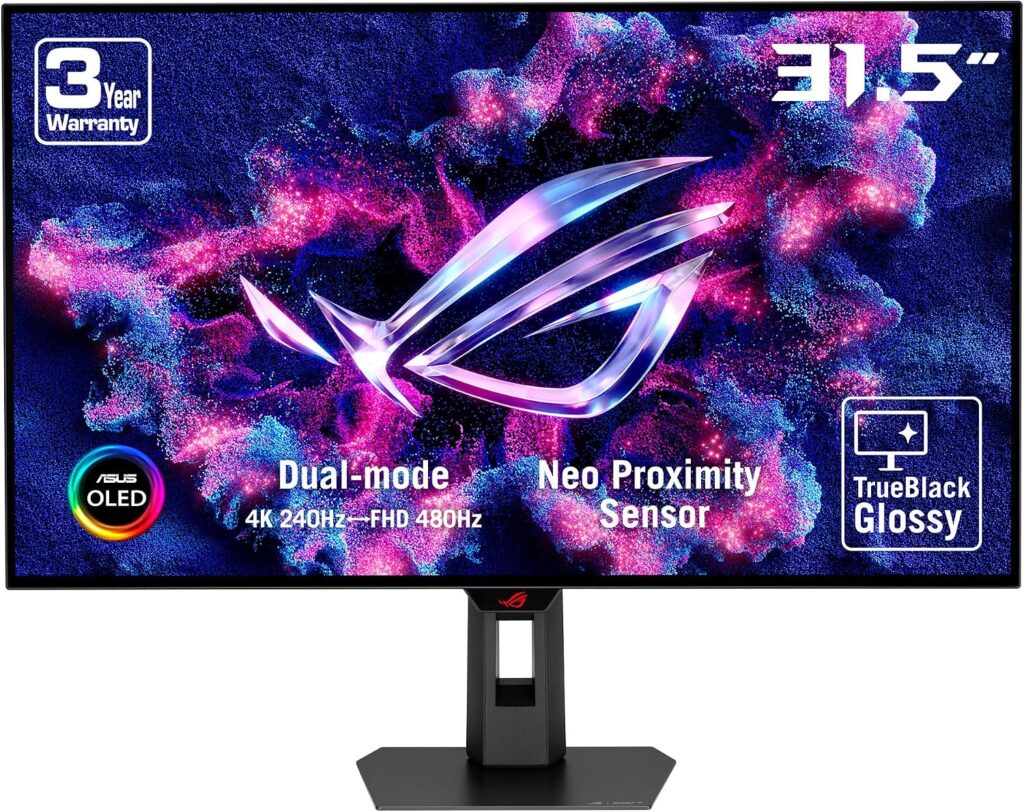
The ASUS ROG Strix OLED XG32UCWMG is arguably the most interesting monitor in this group because it isn’t simply another 32-inch 4K OLED running at a high refresh rate. Its headline feature is Dual Mode. In normal use you get 4K at 240Hz, but switch modes and the monitor can run at Full HD at 480Hz. That is a rather different proposition from the other monitors here. Another noteworthy feature is the TrueBlack Glossy finish which gives the panel s a zero-haze surface and exceptionally sharp image.
Key features
- 31.5-inch WOLED panel
- 4K at 240Hz
- Full HD at 480Hz Dual Mode
- Glossy TrueBlack finish
- VESA DisplayHDR 400 True Black
- 99% DCI-P3
- True 10-bit colour
- Delta E <2
- USB-C with power delivery
- ASUS OLED Care Pro
- Neo Proximity Sensor
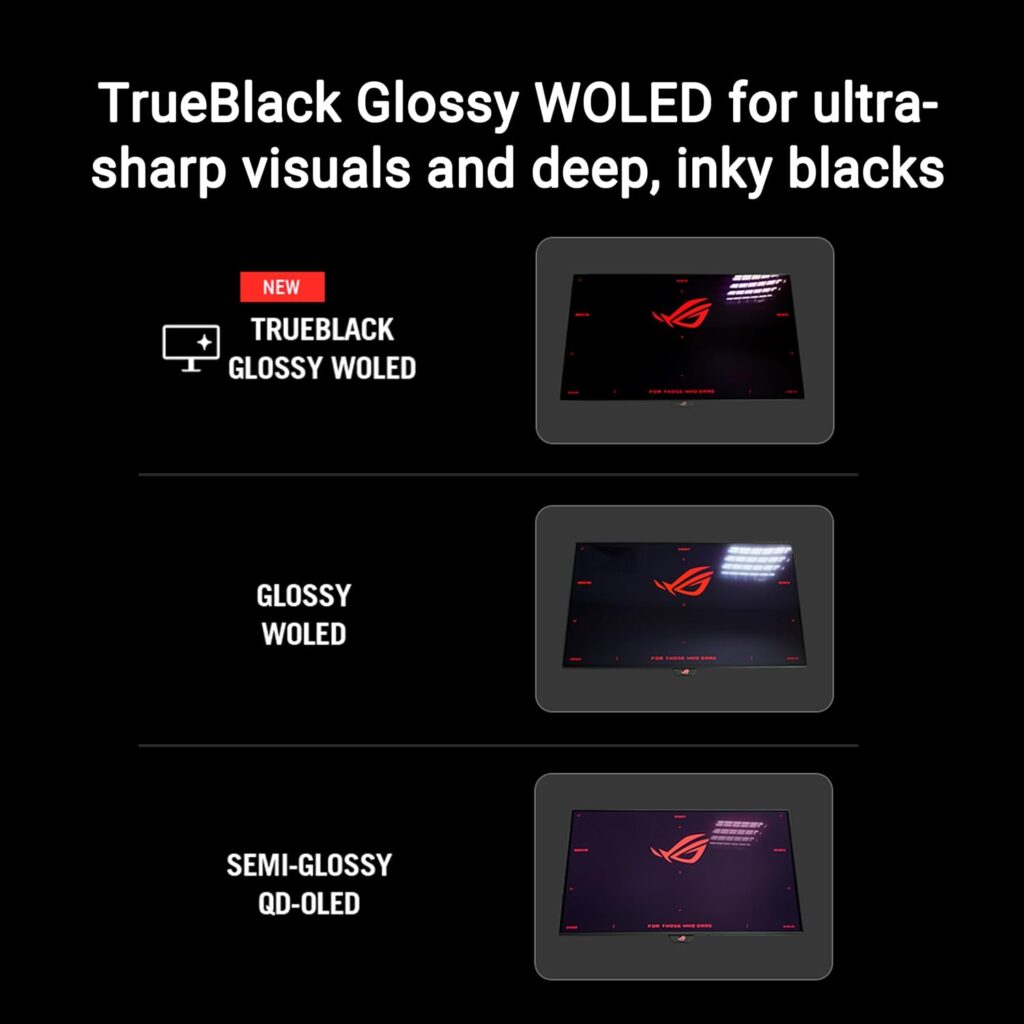
The Neo Proximity Sensor is particularly interesting for a desktop monitor. When you move away from the screen, it can switch to a black screen, helping reduce the amount of time static images are displayed. That makes considerably more sense to me for a monitor than simply telling users to remember to run an OLED protection routine.
Best for: Gamers who want one monitor for both high-resolution gaming and serious competitive play.
The 4K 240Hz mode makes it an excellent general gaming display, while the 480Hz mode is there for esports-style gaming where refresh rate takes priority over resolution. At around £671, it is also surprisingly competitive against some of the less technically ambitious displays in this list.
2. ASUS ROG Strix QD-OLED XG32UCDS (QD-LED)
Best value QD-OLED for around £543
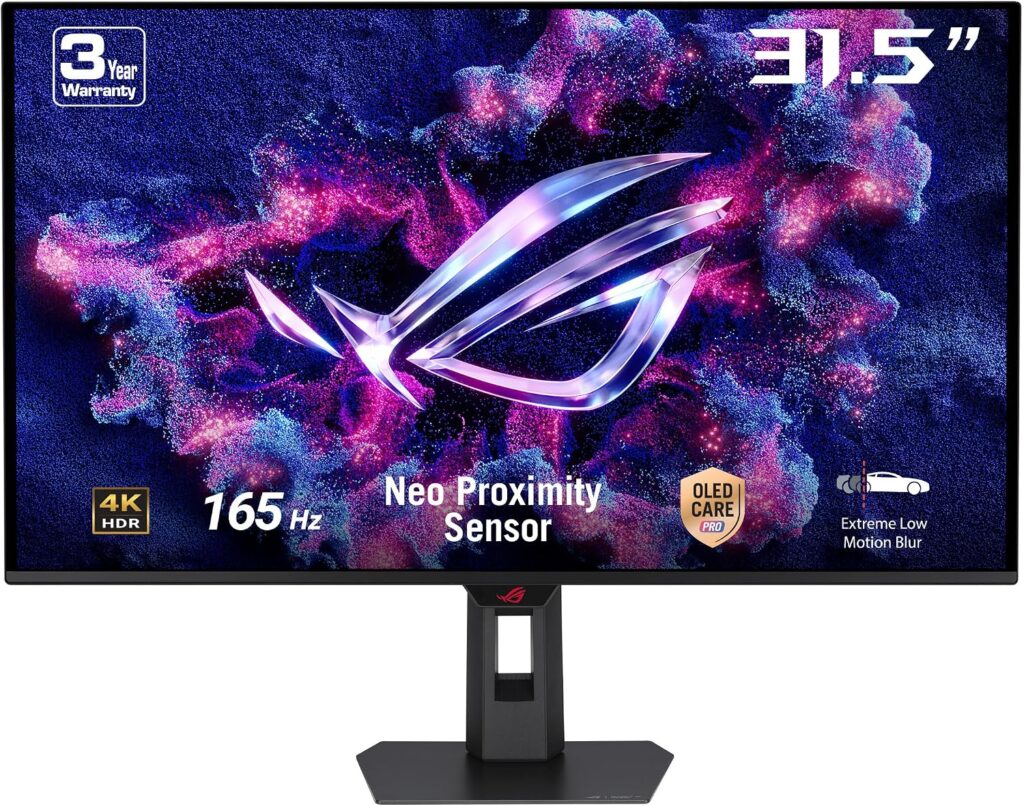
If you want 32-inch 4K OLED without pushing towards £700-£800, the ASUS ROG Strix XG32UCDS deserves serious attention. At around £543, it is one of the most interesting prices in this selection. It uses a 31.5-inch QD-OLED panel, giving you the characteristic OLED blacks alongside the wide colour gamut associated with QD-OLED.
Key features
- 31.5-inch 4K QD-OLED
- 165Hz refresh rate
- 0.03ms GTG response time
- ASUS ELMB
- G-SYNC
- 99% DCI-P3
- VESA DisplayHDR 400 True Black
- Neo Proximity Sensor
- DisplayWidget Centre
The 165Hz refresh rate is worth highlighting because this is a good example of why you don’t necessarily need 240Hz. For most PC gamers, 165Hz is already a very high refresh rate. The extra 75Hz offered by a 240Hz monitor may be valuable if you have a suitably powerful gaming PC, but it is unlikely to transform ordinary gaming.
Best for: The buyer who wants QD-OLED image quality without spending £700 or more.
This could actually be the monitor that makes the strongest case for 32-inch OLED as a mainstream enthusiast upgrade.
3. Samsung Odyssey OLED G8 LS32DG802SUXXU with Smart Platform
Best for gaming and entertainment for around £570
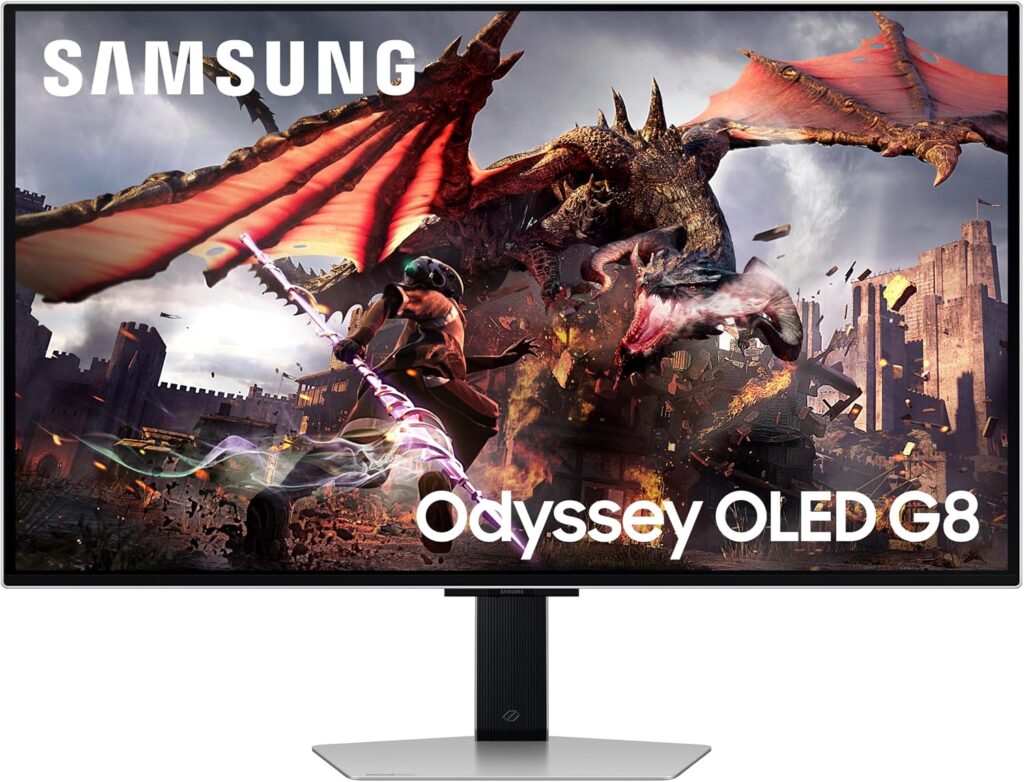
Samsung takes a different approach with the Odyssey OLED G8. This isn’t simply a monitor with a gaming specification sheet. Samsung has effectively tried to make it a gaming monitor and entertainment display in one. The result is particularly interesting for someone who wants a large screen that can also function as a TV-style display for streaming servics but no remote or TV tuner.
Key features
- 32-inch 4K OLED
- 240Hz refresh rate
- 0.03ms GTG
- HDR10+
- HDMI 2.1
- DisplayPort
- USB
- Built-in speakers
- Height adjustment
- Glare-free screen
- Samsung Smart platform
- Gaming Hub
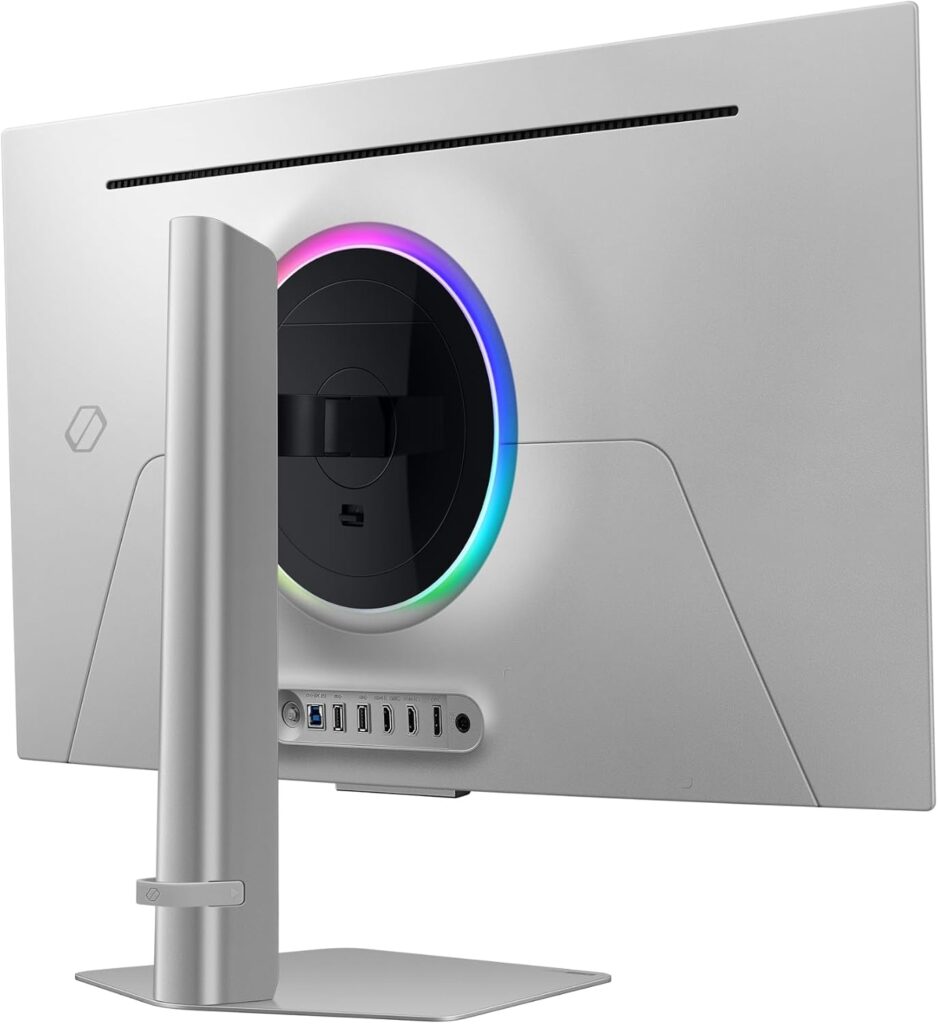
The HDMI 2.1 connection is useful if you intend to connect a modern games console, while the Smart TV functionality means you can use the display independently of your PC for streaming and other entertainment. That makes it quite different from a conventional monitor.
There is also a standard version without the smart platform, which is worth considering if you don’t need those features.
Best for: Gamers who want their 32-inch OLED to double as an entertainment screen.
It is particularly compelling if the monitor will sit in a bedroom, small office or gaming room where you don’t want both a monitor and television.
4. Gigabyte MO32U OLED Gaming Monitor
Best straightforward 4K OLED gaming monitor for around £620
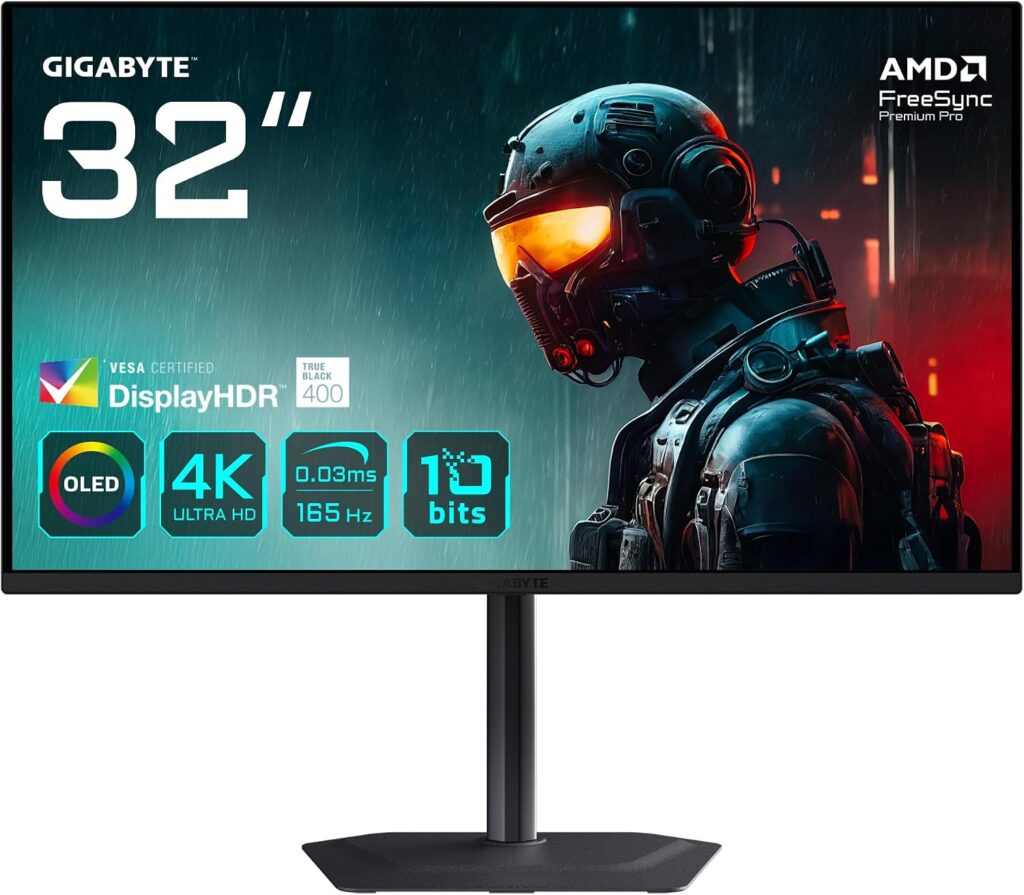
The Gigabyte MO32U takes a much more straightforward approach. There is no need to turn it into a television. Its job is to be a high-performance 32-inch 4K OLED gaming monitor. Don’t be deceived by its skinny stand, it supports height, tilt, swivel, and pivot adjustments,
Key Features
- 32-inch OLED
- 4K UHD
- 165Hz refresh rate
- 0.03ms response time
- 1,500,000:1 static contrast ratio
- 178° horizontal/vertical viewing angles
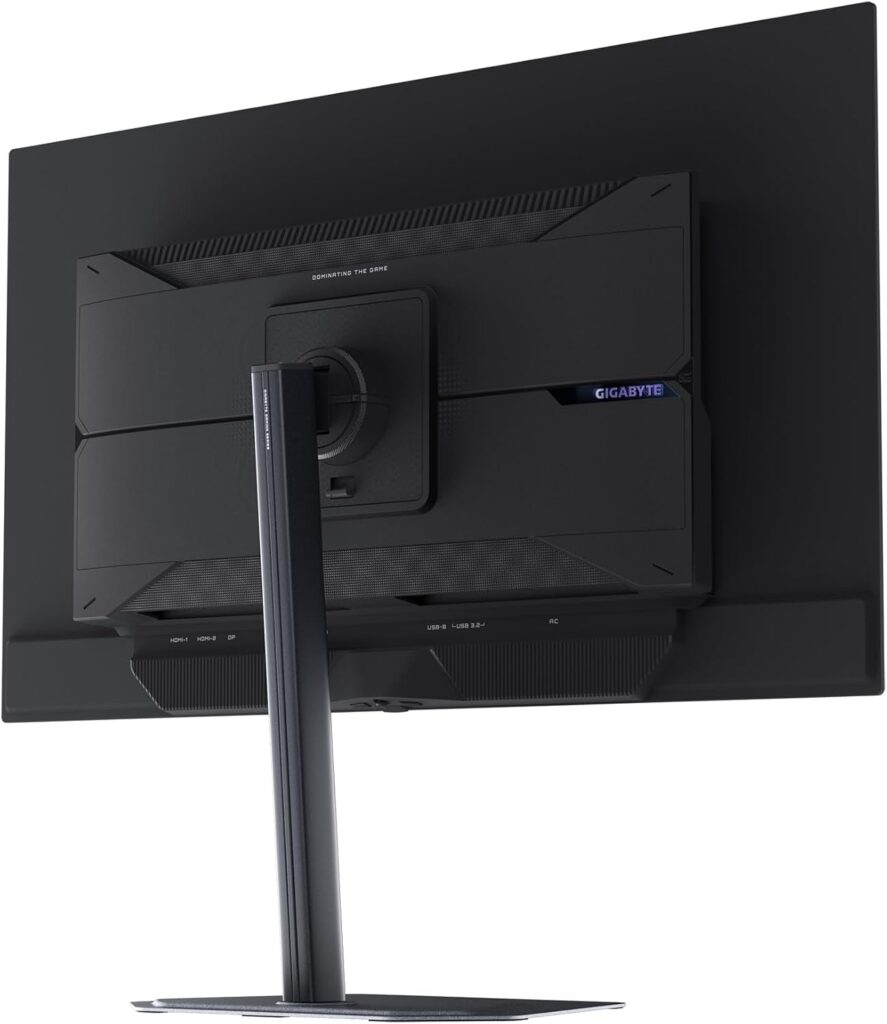
The interesting question here isn’t whether the MO32U is capable. It clearly is. The question is why pay around £620 for a 165Hz monitor when other 32-inch OLEDs in this selection offer 240Hz for less?
Best for: Buyers who specifically want Gigabyte’s 32-inch 4K OLED platform and don’t need 240Hz.
At its current price, however, I’d compare it very carefully against the ASUS and Samsung alternatives before buying.
5. LG UltraGear 32GS95UV-B Dual Mode
Best for LG’s Dual Mode approach for around £740
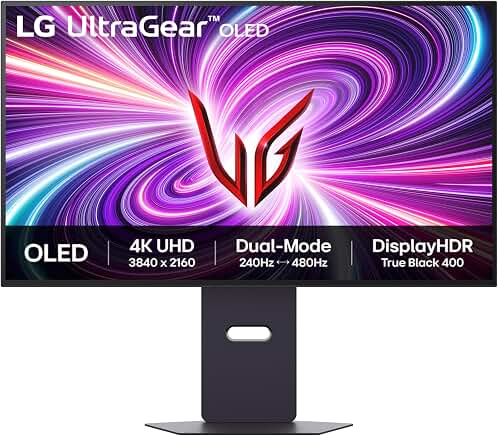
The LG UltraGear 32GS95UV-B is one of the most interesting monitors here because it combines a 32-inch 4K OLED panel with a 240Hz refresh rate and LG’s Dual Mode approach. The stand supports swivel, tilt, height and pivot adjustments.
Key Features
- 32-inch OLED
- 4K UHD
- 240Hz
- 0.03ms response time
- 1,500,000:1 static contrast ratio
- 178° viewing angles
- Dual Mode gaming
- HDR support
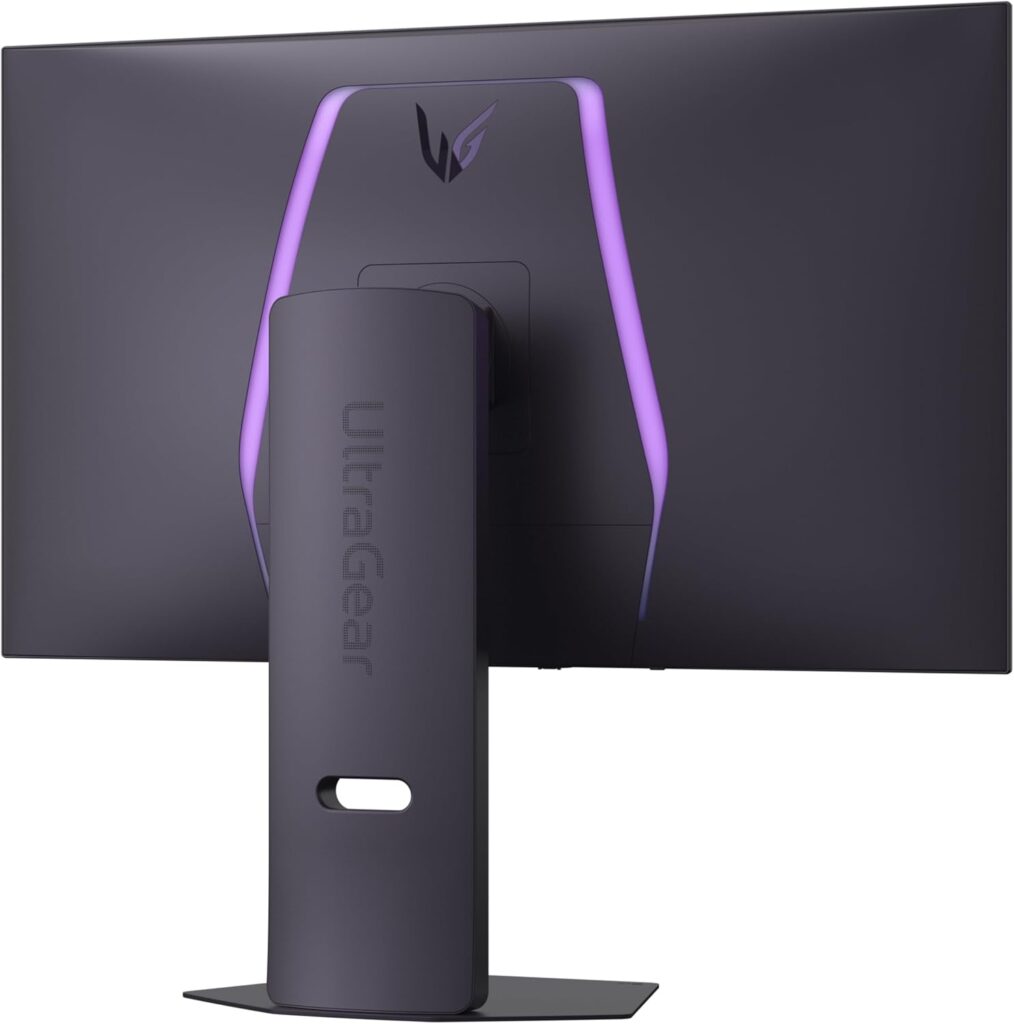
The 240Hz 4K mode is already more than enough for most gaming PCs. The ability to switch to a lower resolution at a much higher refresh rate gives competitive gamers another option. This is a similar philosophy to the ASUS XG32UCWMG, although the ASUS is the more extreme implementation with its 480Hz Full HD mode.
Best for: Gamers who want a premium 4K 240Hz OLED with a flexible high-refresh gaming mode.
The difficulty is the price. At around £780, it is competing with monitors that offer some very compelling features for less money.
6. Samsung Smart Monitor M9 LS32FM902SUXXU
Best for an all-in-one smart display for around £855
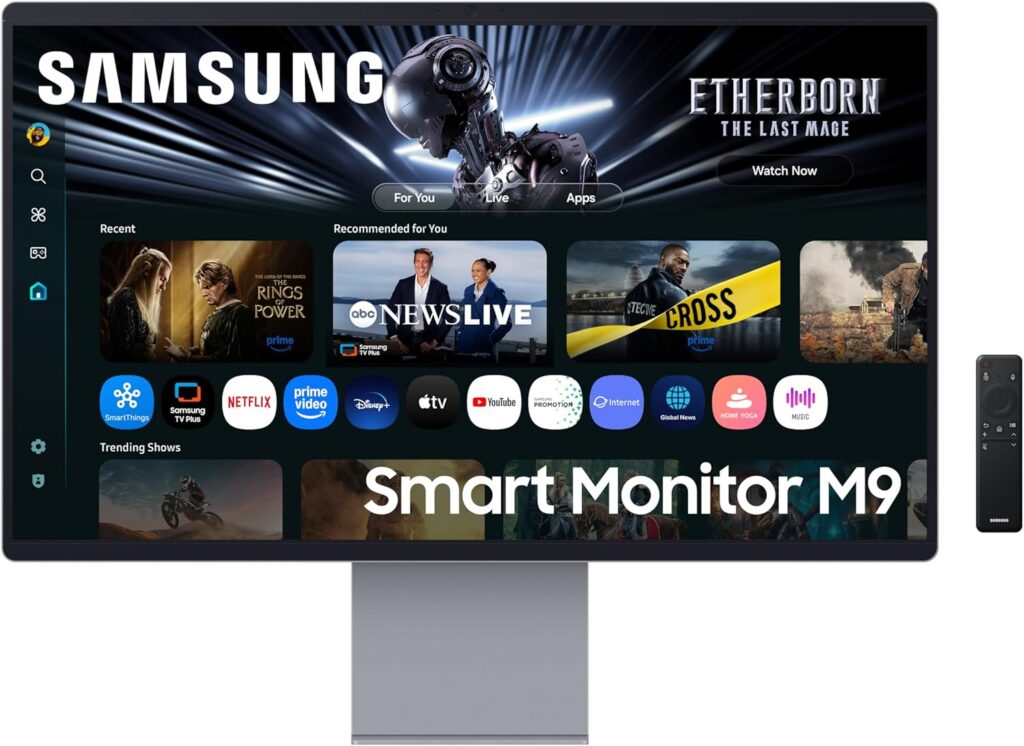
The Samsung LS32FM902SUXXU takes the all-in-one approach even further. It is a 32-inch 4K QD-OLED monitor with a 165Hz refresh rate, but Samsung adds a considerable amount of connectivity, smart functionality and remote. The monitor is Pantone Validated to reproduce 2100+ colours and 110+ skin tone. It has a premium feel and sleek design with an ergonomic stand that comes with height, pivot and tilt adjustment.
Key Features
- 32-inch 4K QD-OLED
- 165Hz
- 0.03ms response time
- USB-C
- HDMI
- Wi-Fi
- Bluetooth
- Samsung Smart Hub
- Streaming and catch-up apps
- Gaming Hub
- Samsung Glare Free film
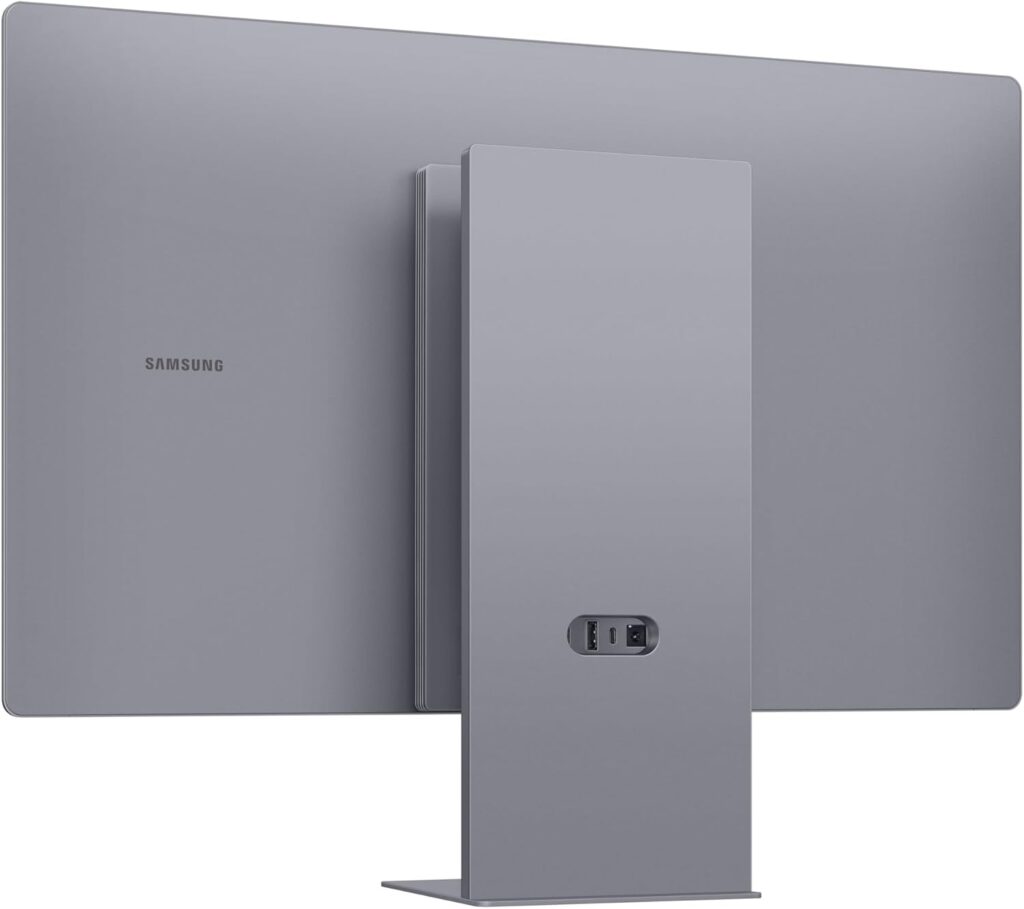
The Glare Free finish is particularly relevant because OLED monitors can look spectacular in controlled lighting but reflections can become distracting in a bright room. Samsung’s Smart Hub also means the monitor doesn’t have to be tied to your computer.
Best for: Someone who wants a premium desktop display that can also function as a standalone entertainment system.
However, at around £855, the price needs careful consideration. You’re paying for considerably more than the OLED panel and gaming performance.
So, which 32-inch OLED should you buy?
This is where I would make the article more useful than a conventional “best monitors” list.
| Monitor | Best for | Refresh rate | Panel | Approx. price |
| ASUS XG32UCWMG | 4K + competitive gaming | 240Hz / 480Hz FHD | WOLED | £671 |
| ASUS XG32UCDS | OLED value | 165Hz | QD-OLED | £543 |
| Samsung OLED G8 | Gaming + entertainment | 240Hz | OLED | £570 |
| LG 32GS95UV-B | Premium gaming | 240Hz | OLED | £780 |
| Gigabyte MO32U | Straightforward 4K OLED gaming | 165Hz | OLED | £770 |
| Samsung LS32FM902 | Smart desktop/TV hybrid | 165Hz | OLED | £855 |
My initial shortlist would be the ASUS XG32UCDS, ASUS XG32UCWMG and Samsung OLED G8.
The ASUS XG32UCDS is the value proposition. At roughly £543, 32-inch 4K QD-OLED at 165Hz is a compelling combination.
The Samsung OLED G8 is the entertainment proposition. The 240Hz refresh rate, HDMI 2.1 and Smart TV features make it unusually versatile.
The ASUS XG32UCWMG is the enthusiast proposition. 4K/240Hz plus 1080p/480Hz is an unusual combination that gives you both high-resolution gaming and an option for serious competitive play.
Is 32 inches actually better than 27 inches?
This should be one of the central arguments when it comes to choosing between the two sizes. At 27 inches, 4K gives you an extremely sharp desktop image, but Windows scaling is often needed to make text and interface elements comfortable. At 32 inches, you get substantially more physical screen area while retaining the same 3840 × 2160 resolution. That makes 32-inch 4K particularly attractive for:
- large spreadsheets
- photo editing
- video editing
- coding
- multiple windows
- gaming
- watching films
- general desktop use
And unlike a 43-inch monitor, a 32-inch display doesn’t require you to sit unusually far back from the desk.
Is OLED worth paying for?
A £500–£800 monitor deserves more scrutiny than simply: OLED + 4K + 240Hz = excellent.
For a gaming PC, OLED is an obvious upgrade if you value HDR, contrast and response time. For eight hours of Microsoft Excel every day, the calculation is different. A conventional IPS or VA 4K monitor can be considerably cheaper, and you don’t have the same concerns about static desktop elements.
There is also the question of 240Hz versus 165Hz. Buyers shouldn’t automatically pay a premium for 240Hz. If your PC can’t consistently deliver very high frame rates, the difference is largely academic. For many gamers, 165Hz 4K OLED is already an excellent specification.
Is 32-inch 4K OLED the sweet spot?
After looking at these monitors, I think there is a strong case for 32 inches as the sweet spot for a high-end desktop display.
A 27-inch monitor can start to feel restrictive when you want more room for games, creative work or multiple windows. Moving all the way to 43 inches gives you a lot more screen, but it also changes how you use your desk. At 32 inches, you get a substantial increase in screen area while 4K still gives you a sharp, detailed image.
OLED adds another reason to make the move. The deep blacks, excellent contrast, fast response and strong HDR performance can make a noticeable difference, particularly in games and films. The catch is that you shouldn’t buy one simply because it says OLED on the box.
The ASUS ROG Strix XG32UCDS makes a particularly strong case on price, with a 31.5-inch QD-OLED panel, 4K resolution and 165Hz refresh rate. The Samsung Odyssey OLED G8 is more interesting if you want your monitor to handle gaming and entertainment, while the ASUS ROG Strix XG32UCWMG is the one to look at if you want serious high-refresh gaming, with 4K at 240Hz and a 480Hz Full HD mode.
At the other end, some of the more expensive 165Hz models need a harder look. Paying substantially more for an OLED monitor doesn’t automatically give you a better desktop or gaming experience. For me, that is the key point. 32-inch 4K OLED makes sense because of the combination of size, resolution and picture quality, not simply because OLED is the latest panel technology.
If you have the budget and your PC can make good use of the refresh rates, a 32-inch 4K OLED could be the display upgrade that finally makes 27 inches feel too small without making 43 inches feel ridiculous.
Please note that the prices quoted are estimates only and are subject to change. Please check with retailers for the latest prices.