Best 2.5K Portable Monitors in 2026: Six 16-Inch Screens Compared
A portable monitor can make working on a laptop considerably more comfortable. It gives you room for a second window, a spreadsheet, reference material or a video call without having to carry a full-sized desktop display. The problem is that many portable monitors still use Full HD resolution, which can look a little coarse when you are used to a modern laptop screen. That is where 2.5K portable monitors come in.
The six models in this comparison all use a 16-inch-class display with a resolution of 2560 × 1600 pixels and a 16:10 aspect ratio. That gives you a sharper image than Full HD, along with extra vertical space for documents, websites and applications.
There are some significant differences between them. The ARZOPA Z1RC is a straightforward 60Hz IPS display for everyday productivity. UPERFECT offers QLED models with higher claimed colour and contrast figures, including a 240Hz version aimed at gaming. Vision Owl has a 144Hz IPS option, while the UPERFECT U04 offers a useful middle ground with a 120Hz panel.
So which one makes the most sense? Here are the six monitors compared, followed by a closer look at what each offers and who should consider buying it.
Quick comparison: six 2.5K portable monitors
|
Model |
Panel type |
Resolution |
Refresh rate |
Claimed brightness |
Claimed contrast |
Weight (approx.) |
|
ARZOPA Z1RC 60Hz |
IPS |
2560 × 1600 |
60Hz |
350 nits |
1200:1 |
810g |
|
UPERFECT QLED 60Hz |
QLED |
2560 × 1600 |
60Hz |
500 nits |
2000:1 |
796g |
|
UPERFECT J05 240Hz |
QLED |
2560 × 1600 |
240Hz |
400 nits |
2000:1 |
728g |
|
VisionOwl V16QH 144Hz |
IPS |
2560 × 1600 |
144Hz |
470 nits |
1200:1 |
680g |
|
UPERFECT QLED 144Hz |
QLED |
2560 × 1600 |
144Hz |
400 nits |
2000:1 |
730g |
|
UPERFECT U04 120Hz |
IPS |
2560 × 1600 |
120Hz |
500 nits |
1200:1 |
718g |
Specifications are based on manufacturer and retailer listings. Brightness, contrast, colour gamut and response-time figures are advertised specifications, not independent laboratory measurements. Check the exact listing and product variant before ordering.
The table highlights the main distinction: all six have the same resolution and screen proportions, but their refresh rates and panel technologies differ. The most expensive-looking specification sheet is not automatically the best choice for everyone.
1. ARZOPA Z1RC: a practical 2.5K monitor for everyday work
The ARZOPA Z1RC is the most straightforward monitor in this group. It uses a 16-inch IPS panel with a 2560 × 1600 resolution, a 16:10 aspect ratio and a standard 60Hz refresh rate.
That combination is well suited to office work, studying, browsing, writing and general laptop use. The extra resolution makes text and fine details look sharper than on a typical 1920 × 1080 portable monitor. The 16:10 screen also gives you more vertical room, which is useful when working with long documents, spreadsheets or web pages.
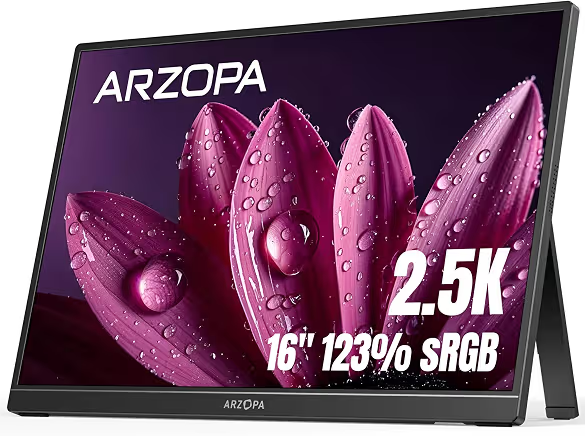
ARZOPA lists a brightness of around 350 nits and a contrast ratio of 1200:1. Its specifications also advertise a 123% sRGB colour gamut, although colour gamut figures should be treated carefully: a percentage above 100% sRGB does not automatically mean the screen reproduces colours accurately.
The Z1RC has USB-C and mini HDMI connectivity, built-in speakers and an integrated stand. It can also be used in portrait orientation, which may be useful for reading, coding or working with long pages. Its weight is around 810g, making it one of the heavier options here, although still manageable in a laptop bag.
Best for: Students, office workers and laptop users who want a sharper second screen for everyday productivity.
What to consider: The 60Hz refresh rate is perfectly adequate for work, but it does not offer the smoother motion of the higher-refresh models. Its advertised brightness is also lower than the 400–500 nit claims made for several alternatives.
Product: ARZOPA Z1RC 16-inch 2.5K Portable Monitor
Key specifications:
- 16-inch IPS display.
- 2560 × 1600 resolution.
- 16:10 aspect ratio.
- 60Hz refresh rate.
- Up to 400-nit brightness advertised.
- 1200:1 contrast ratio.
- USB-C and mini HDMI connectivity.
- Approximately 810g.
The 16:10 format is particularly useful for office work. You get more vertical space than a conventional 16:9 screen, which helps when reading documents or working with long spreadsheets.
Who should buy it?
Students, office workers and anyone who needs an affordable second screen for a laptop. If you don’t need high refresh rates or QLED colour, this is a sensible starting point.
2. UPERFECT QLED 60Hz: prioritising colour and contrast
The UPERFECT QLED 60Hz model takes a different approach. It retains the same 2560 × 1600 resolution and 16:10 aspect ratio but uses a QLED display, with advertised brightness of 500 nits and a claimed contrast ratio of 2000:1.
QLED is a marketing term commonly used for LCD displays that employ a quantum-dot layer to improve colour reproduction. It is not the same as OLED. The screen still relies on a backlight, so you should not expect the individual-pixel lighting and deep blacks associated with OLED displays.
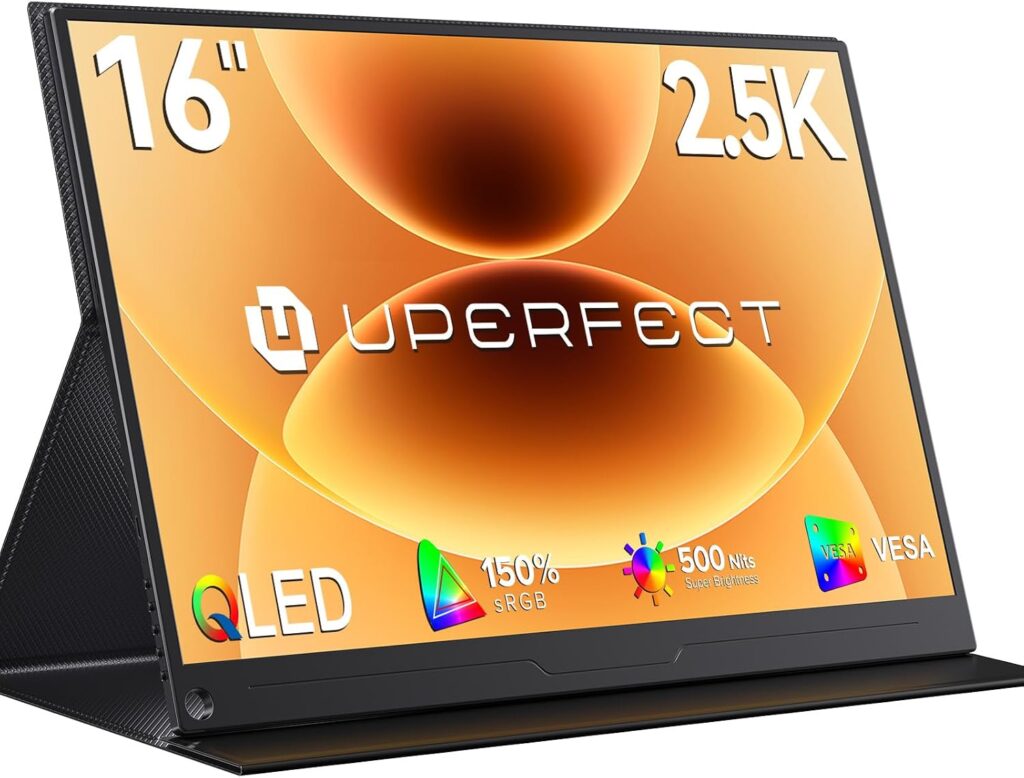
The advertised 150% sRGB colour gamut is particularly eye-catching. A wide colour gamut can make images and video look more vibrant, although it is important to distinguish colour range from colour accuracy. Anyone buying a portable monitor for professional photo or video work should look for independent measurements of colour coverage and calibration.
At around 796g, this UPERFECT model is reasonably portable. Its connectivity includes USB-C and HDMI, giving it flexibility with laptops and other compatible devices. The 60Hz refresh rate makes it more of a productivity and entertainment screen than a dedicated gaming display.
Best for: Users who want a portable screen for documents, media and colourful content, and who value the advertised QLED specifications.
What to consider: The 60Hz refresh rate is standard rather than gaming-focused. Do not assume that the advertised colour gamut guarantees accurate colour reproduction.
Product: UPERFECT 16-inch 2.5K QLED Portable Monitor
Key specifications:
- 16-inch QLED display.
- 2560 × 1600 resolution.
- 16:10 aspect ratio.
- 60Hz refresh rate.
- 500-nit brightness.
- 2000:1 contrast ratio.
- Advertised 150% sRGB colour gamut.
- Approximately 796g.
- Standard HDMI and two USB-C ports.
The biggest attraction is its claimed colour performance.
The wider colour gamut should make images and video look more vibrant, while the higher advertised contrast ratio may provide better separation between darker and lighter areas. It also has an aluminium rear casing and a magnetic protective cover that doubles as a stand.
One thing to remember is that 150% sRGB describes colour gamut volume, not colour accuracy. Anyone buying for photography or professional design should look for independent colour accuracy measurements.
Who should buy it?
People who spend time looking at photographs, videos and colourful content, as well as those who want a more premium-looking productivity screen.
3. UPERFECT J05: the 240Hz option for portable gaming
The UPERFECT J05 is the most gaming-focused monitor in this comparison. It combines a 2560 × 1600 resolution with a claimed 240Hz refresh rate, making it the highest-refresh model of the six.
A 240Hz screen can display up to 240 frames per second, provided the connected computer can deliver that output. This can make fast movement look smoother and improve the visual experience in competitive games. It is a substantial step up from the 60Hz panels in the ARZOPA Z1RC and UPERFECT QLED 60Hz.
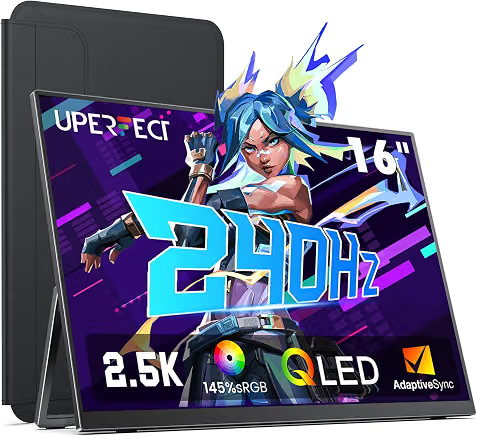
The J05 uses a QLED panel and advertises 400 nits brightness, a 2000:1 contrast ratio and a 145% sRGB gamut. Its advertised response time is 1ms. These figures are manufacturer claims, so they should not be treated as equivalent to independently measured performance.
At approximately 728g, it is also relatively light for a 16-inch portable display. Connectivity includes USB-C and mini HDMI, while the model’s stand and VESA mounting support give you some flexibility when setting it up.
The key question is whether you will make use of 240Hz. For competitive gaming, the higher refresh rate is attractive. For spreadsheets, writing, web browsing and watching films, it is unlikely to make much difference compared with a good 60Hz or 120Hz monitor.
Best for: Laptop gamers who want a high-refresh portable screen and have hardware capable of driving demanding games at high frame rates.
What to consider: A 240Hz specification is only useful if the laptop, graphics hardware, cable and connection support the required resolution and refresh rate. Check the supported input modes before buying.
Product: UPERFECT J05 16-inch 2.5K QLED 240Hz
Key specifications:
- 16-inch QLED display.
- 2560 × 1600 resolution.
- 16:10 aspect ratio.
- 240Hz refresh rate.
- 400-nit brightness.
- 2000:1 contrast ratio.
- Advertised 145% sRGB colour gamut.
- 1ms advertised response time.
- Approximately 728g.
- Mini HDMI and USB-C.
- VESA mounting support.
- Adjustable integrated stand.
The combination of 2.5K resolution and 240Hz makes this a particularly attractive option for portable gaming. The high refresh rate also makes scrolling and general movement appear smoother, although the difference is most apparent when the connected computer can actually produce enough frames per second.
There is one important consideration: the advertised 240Hz requires a suitable connection and graphics output. Check the supported refresh rate for the input you intend to use.
Who should buy it?
Gamers who want a portable display that can keep up with a high-performance gaming laptop or desktop. It is probably excessive for someone who only needs an extra screen for Word, Excel and browsing.
4. VisionOwl V16QH: a lightweight 144Hz IPS alternative balanced gaming and productivity
The VisionOwl V16QH offers a middle ground between ordinary productivity monitors and the more gaming-oriented QLED options.
It uses a 16-inch IPS panel with a 2560 × 1600 resolution and a 144Hz refresh rate. That makes it a more versatile choice for people who use their laptop for work during the day and gaming or entertainment afterwards.
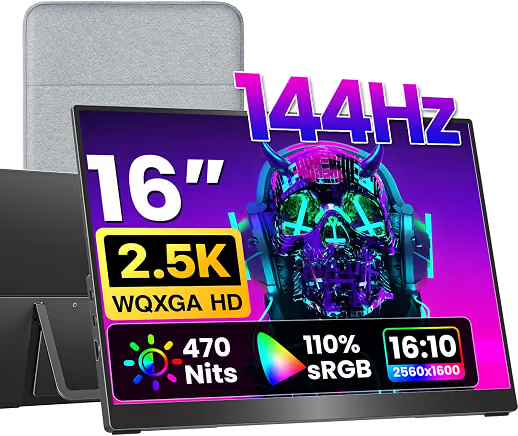
The advertised brightness is 470 nits, with a 1200:1 contrast ratio and 110% sRGB colour gamut. Its claimed 3ms response time is also worth noting, although actual response performance can vary depending on the transition being measured and the display settings.
One of its biggest attractions is weight. At approximately 680g, it is the lightest monitor in this six-model comparison. That makes it particularly appealing if you intend to carry it regularly alongside a laptop.
The V16QH includes USB-C and HDMI connectivity, as well as an integrated kickstand. Its IPS panel should also provide the wide viewing angles associated with this display technology.
Best for: People who want a relatively light portable monitor for both productivity and gaming.
What to consider: It does not have the advertised contrast figures of the QLED alternatives. If you mainly work with static documents, a 144Hz refresh rate may not justify paying extra over a conventional 60Hz display.
Product: VisionOwl V16QH 16-inch 2.5K 144Hz
Key specifications:
- 16-inch IPS display.
- 2560 × 1600 resolution.
- 16:10 aspect ratio.
- 144Hz refresh rate.
- 470-nit brightness.
- 1200:1 contrast ratio.
- Advertised 110% sRGB colour gamut.
- 3ms advertised response time.
- Approximately 680g.
- USB-C and HDMI.
- Built-in kickstand.
The VisionOwl is particularly interesting because it combines a high refresh rate with a relatively lightweight design.
At approximately 680g, it is the lightest of the four models with sufficiently established specifications in this comparison.
It also has a built-in kickstand, which is convenient if you frequently move between desks.
Who should buy it?
Someone who wants one portable monitor for work and gaming. The 144Hz refresh rate is useful for gaming, while the 16:10 resolution makes it equally suitable for productivity.
5. UPERFECT QLED 144Hz: a higher-refresh screen with QLED colour claims
This UPERFECT model combines a QLED panel with a 144Hz refresh rate. It is an interesting option for someone who wants a portable monitor that can handle both everyday work and gaming.
The resolution is 2560 × 1600, giving it the same sharpness and 16:10 proportions as the other five displays. The advertised specifications include 400 nits brightness, a 2000:1 contrast ratio and a 145% sRGB colour gamut.
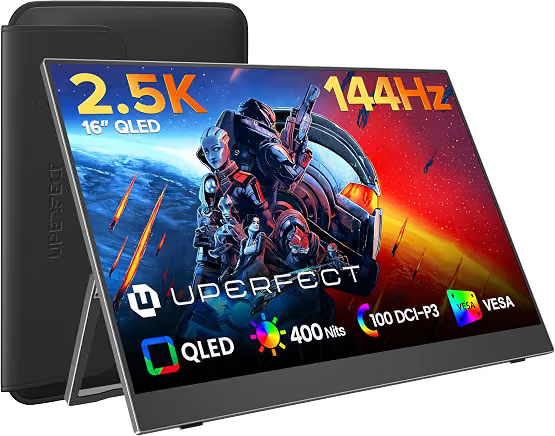
The 144Hz refresh rate is a more practical target for many gaming laptops than 240Hz. It can deliver smoother movement in supported games without requiring quite as much graphics performance to take advantage of it.
The monitor weighs approximately 730g and offers USB-C and mini HDMI connectivity. It also advertises FreeSync support, which can help synchronise the display’s refresh rate with compatible graphics hardware to reduce screen tearing.
As with the other QLED models, the advertised gamut and contrast figures are worth treating as claims rather than proof of superior image quality. Independent testing would be needed to establish colour accuracy, response behaviour and actual contrast performance.
Best for: Users who want a 144Hz portable display with QLED technology and a specification sheet geared towards gaming and media.
What to consider: It is worth comparing its price with the VisionOwl V16QH and UPERFECT U04. The extra QLED claims may appeal, but the real-world difference depends on panel quality and calibration.
Product: UPERFECT 16-inch 2.5K 144Hz QLED Portable Monitor
Key specifications:
- 16-inch QLED display.
- 2560 × 1600 resolution.
- 16:10 aspect ratio.
- 144Hz refresh rate.
- 400-nit brightness.
- 2000:1 contrast ratio.
- 145% sRGB advertised colour gamut.
- Approximately 730g.
- USB-C and Mini HDMI connectivity.
- AMD FreeSync support.
Where does it fit?
This is potentially one of the more interesting choices in the comparison.
It combines:
- QLED technology for enhanced colour reproduction.
- 144Hz refresh rate for smoother motion.
- 400-nit brightness.
- A relatively lightweight 730g design.
Compared with the standard UPERFECT QLED, you gain a 144Hz refresh rate at the expense of some advertised brightness.
Compared with the UPERFECT J05 240Hz, you sacrifice maximum refresh rate but retain QLED technology and the same resolution.
My take: This could be the sweet spot for someone who wants a portable monitor for both productivity and gaming. A 144Hz refresh rate is already very good for a portable display, and 240Hz is unnecessary for most users.
6. UPERFECT U04: a balanced 120Hz portable monitor
The UPERFECT U04 is arguably the most balanced option in this comparison. It combines a 2560 × 1600 IPS display with a 120Hz refresh rate, giving you smoother motion than a standard 60Hz monitor without chasing the very high refresh rates of the gaming-focused models.
The advertised specifications include 500 nits brightness, a 1200:1 contrast ratio and 100% sRGB colour gamut. It also lists a 3ms response time, HDR support and FreeSync. The screen has a matte finish, which can help reduce distracting reflections when working under office lighting.
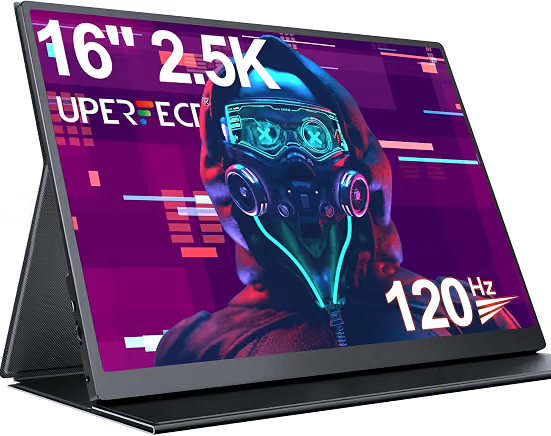
At approximately 718g, it remains light enough to carry with a laptop. It has USB-C and mini HDMI inputs, a smart cover that doubles as a stand, and VESA mounting support. The Amazon listing also specifies a two-year manufacturer’s warranty.
The 120Hz refresh rate is a useful compromise. Scrolling and moving windows can feel smoother than on a 60Hz display, while compatible games can benefit from the higher refresh rate. It is not as fast as the 144Hz or 240Hz alternatives, but the difference between 120Hz and 144Hz is less significant for most users than the jump from 60Hz to 120Hz.
For someone who wants one portable monitor for work, study, browsing, video and occasional gaming, the U04 makes a strong case.
Best for: General laptop users who want a bright, lightweight 2.5K screen with a refresh rate above 60Hz.
What to consider: The IPS panel has a lower advertised contrast ratio than the QLED models. Its 120Hz refresh rate is also below the 144Hz and 240Hz options, although this is unlikely to matter for ordinary productivity.
Product: UPERFECT U04 16-inch 2.5K Portable Monitor
Key specifications:
- 16-inch IPS display.
- 2560 × 1600 resolution.
- 16:10 aspect ratio.
- 120Hz refresh rate.
- 500-nit brightness.
- 1200:1 contrast ratio.
- 100% sRGB colour gamut.
- 3ms advertised response time.
- 718g weight.
- AMD FreeSync support.
- USB-C and mini HDMI.
- VESA mounting support.
- Protective cover doubles as a stand.
- Two-year manufacturer warranty.
Where does it fit?
This is an interesting alternative to the more expensive QLED models.
You get:
- A relatively bright 500-nit display.
- 120Hz refresh rate for smoother motion.
- Standard IPS technology.
- 100% sRGB colour coverage.
- A lightweight design.
The main compromise is colour performance. The QLED alternatives advertise wider colour gamuts and higher contrast ratios.
However, for everyday work, browsing, spreadsheets and occasional gaming, the U04 looks like a well-balanced specification.
Which 2.5K portable monitor should you buy?
The best model depends on how you intend to use it.
For everyday productivity: ARZOPA Z1RC
If you mainly need a second screen for work, study, browsing and documents, the ARZOPA Z1RC covers the essentials. Its 60Hz refresh rate is adequate for these tasks, and its integrated stand makes it straightforward to set up.
For QLED colour and media: UPERFECT QLED 60Hz
The 60Hz QLED model is worth considering if its advertised colour and contrast specifications appeal to you. It is more suited to productivity and entertainment than high-refresh gaming.
For the lightest option: VisionOwl V16QH
At around 680g, the VisionOwl is the lightest of the six. Its 144Hz IPS panel makes it a flexible choice for users who want a portable display for both work and gaming.
For a balanced everyday screen: UPERFECT U04
The U04 combines a 120Hz refresh rate, an IPS panel, a matte finish and a claimed 500 nits brightness. It is a sensible all-rounder for people who want something beyond a basic 60Hz portable monitor.
For QLED gaming at 144Hz: UPERFECT QLED 144Hz
This model combines QLED technology with a 144Hz refresh rate. It is worth comparing with the VisionOwl if you want a higher-refresh display and prefer the advertised colour specifications of a QLED panel.
For high-refresh gaming: UPERFECT J05
The J05 is the obvious choice if 240Hz is a priority. It is designed for users who want a high-refresh portable gaming screen and have a laptop capable of driving it.
Final verdict: which 2.5K portable monitor offers the best balance?
These six monitors share the same core specification: a 16-inch-class display with 2560 × 1600 resolution and a 16:10 aspect ratio. That makes all of them a step up from basic Full HD portable monitors in terms of pixel count and available screen space.
The differences come down to panel technology, refresh rate, weight and price.
For most laptop users, the UPERFECT U04 looks like the most balanced proposition on paper. Its 120Hz refresh rate is a useful upgrade over 60Hz, while the IPS panel, matte finish, advertised 500 nits brightness and relatively low weight make it suitable for a broad range of tasks.
The VisionOwl V16QH is another strong option, particularly if keeping weight down is important. Its 144Hz refresh rate gives it an advantage for gaming, and it is the lightest monitor in this comparison.
The ARZOPA Z1RC remains a sensible choice if you simply want a sharper second screen for work and study. Paying extra for 144Hz or 240Hz makes little sense if you will spend most of your time reading documents and working with spreadsheets.
For gamers, the UPERFECT J05 offers the highest refresh rate, while the two 144Hz alternatives provide a less demanding option. The QLED models may also appeal to people who prefer vibrant colours, but independent testing is needed to establish how they compare with the IPS alternatives in actual image quality.
Before buying, compare the current prices and check the exact product listing. Portable monitor brands sometimes use similar model names for different configurations, and advertised specifications can vary between retailers and product revisions.
A good portable monitor should make your laptop more useful without adding too much weight or complication to your bag. For most people, a sharp 2560 × 1600 display with a reliable stand and straightforward USB-C connectivity will matter more than the biggest refresh-rate number on the box.