The MacBook Neo: 30+ Smart Upgrades for Every Student (Beyond the Basics)
Congratulations. You’ve made the smart choice, Apple’s most affordable laptop, powered by the surprisingly capable A18 Pro chip, all for just £499 with education pricing. It’s colourful, lightweight, and silent. It handles essays, research, streaming, and even light creative work with surprising grace. But here’s the truth Apple doesn’t tell you: the Neo is a foundation, not a finished product.
From Dorm Desk to Library: The Complete MacBook Neo Accessory Collection for Students. What to Buy After the MacBook Neo.

MacBook Neo: what it lacks and how to make up for it.
To turn this budget-friendly laptop into a genuine student powerhouse, one that survives all-nighters, dorm chaos, library sprints, and everything your degree throws at it, you need the right accessories. Not the expensive, flashy ones. The smart, targeted ones that solve the Neo’s specific limitations:
- No power adapter included
- Only 256GB of base storage for the entry level model
- One fast USB-C port (the other is slow USB 2)
- No backlit keyboard on the base model
- No MagSafe, no Thunderbolt, no SD card slot
The good news? Almost every single one of these compromises has an affordable fix. The bad news? There are dozens of accessories on the market, and most students waste money on the wrong ones.

We are here to help you cut through the noise. We’ve organised the must-have accessories into categories that actually match how students live and work:
- Power & Charging (because Apple didn’t include a charger): power adapters, power banks, magnetic breakaway adapters
- Protection (because student bags are chaos); hard shell cases, laptop sleeves, screen protectors
- Connectivity (because two ports aren’t enough): USB-C hubs, Ethernet adapters, travel routers
- Data Storage & Backup (because losing your dissertation is not an option): external SSDs, flash drives, cloud storage
- Audio (because libraries aren’t always quiet): headphones, wired earbuds
- Ergonomics & Comfort (because your spine deserves better): laptop stands, lap desks, wrist rests
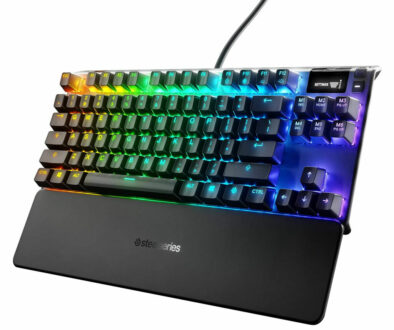
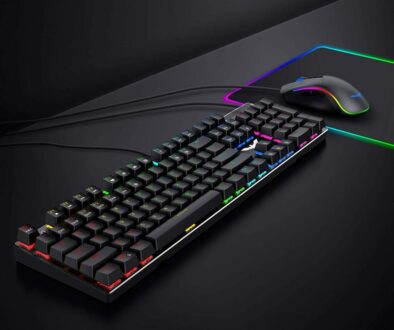
- Productivity (because the Neo’s keyboard lacks backlighting): backlit keyboards, mice, numeric keypads, presentation remotes
- Privacy & Security (because shoulder-surfing is real); privacy filters. webcam covers, Kensington locks
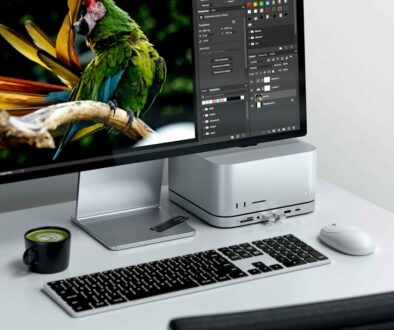
- Desktop Transformation (for when you need a proper workstation): vertical stands, docking stations
Whether you’re a library warrior, a dorm desk worker, a commuter, or a creative student, you’ll find the exact accessories you need, at price points that won’t require a second student loan.
Let’s build your perfect MacBook Neo setup, one smart accessory at a time.
A. Charging & Power Management
The MacBook Neo ships with a USB-C charge cable and nothing else. No power adapter. No charging brick. To power up your new laptop, you must supply your own USB-C Power Delivery (PD) adapter. This is a frustrating omission, especially for students on a tight budget.
The solution: A reliable power adapter that meets or exceeds the Neo’s minimum requirements, plus optional power accessories for all-day campus life.

1. Power Adapter (Non-negotiable)
Minimum requirement: 20W USB-C PD adapter. This will charge the Neo, but slowly, especially if you’re using the laptop while charging.
The smarter choice: 45W–65W USB-C PD adapter. The MacBook Neo can accept up to 60W of charging power. A higher-wattage adapter charges significantly faster, giving you a meaningful top-up between lectures.
Recommendations: Apple 40W Dynamic Power Adapter with 60W Max output: compact power adapter with foldable prongs. Anker 65W GaN Charger (Nano II or Prime): Small, powerful and good value. UGREEN 65W GaN Charger: Budget-friendly, three ports (two USB-C, one USB-A).

2. Power Bank (Laptop-Rated)
A standard phone power bank won’t charge a laptop. You need a power bank with USB-C Power Delivery (PD) output of at least 20W–30W (45W is better) and sufficient capacity (20,000mAh or more). This can give you a full extra charge (or close to it) during long days without outlets; field trips, outdoor study sessions, all-day hackathons, or long train journeys.

Warning: Ensure the power bank is airline-safe (under 100Wh, which is roughly 27,000mAh at 3.7V). Most 20,000mAh–24,000mAh power banks are fine.
Recommendations: Top recommendations for students: Anker Prime 20,000mAh Power Bank (65W): Powerful, compact, includes a built-in display. INIU 25,000mAh 100W Power Bank: Excellent value, large capacity, reliable. Baseus 20,000mAh 100W Fast Charging Slim Power Bank: Budget-friendly, compact.

3. Magnetic USB-C Breakaway Adapter (to mimic MagSafe)
The Neo lacks MagSafe. You can add a magnetic USB-C breakaway adapter. A small magnetic tip stays in the Neo’s USB-C port, and the charging cable attaches magnetically. If someone trips over the cable, it pulls away safely instead of yanking your Neo off the table.
Recommendations: Magnetic USB-C Adapter: 140W PD, 40Gb/s data.. HanCenDa Magnetic USB-C Adapter: 240W PD, 40Gb/s data (overkill for Neo, but future-proof).


Search Magnetic USB-C Adapters on Amazon
4. Cable Management Strap or Pouch
Students carry multiple cables (USB-C, USB-A, Lightning, etc.). A simple silicone cable tie or a small zippered pouch keeps your bag organised and prevents tangled messes.
Why this matters: A laptop power bank doubles your study time away from outlets. A magnetic adapter saves your Neo from a tragic floor accident.

B. Protection (Because Student Bags are Chaos)
Your MacBook Neo will live in backpacks, totes, and overstuffed bags alongside textbooks, water bottles, keys, pens, and who-knows-what-else. Scratches, scuffs, dents, and even cracked screens are real risks.
The solution: Three layers of protection, a hard shell case for daily wear and a laptop sleeve for transport.
5. Hard Shell Case (Acrylic Bumper)
A clear, hard acrylic snap-on case protects the Neo’s aluminium body from scratches, scuffs, and minor impacts. Unlike bulky rubber cases, a hard shell adds minimal weight and doesn’t hide your Neo’s beautiful colour, especially important if you chose Citrus or Blush. What to look for:
- Clear, hard polycarbonate/acrylic material
- Snaps on securely without tools or adhesive
- Vented design for passive cooling (critical for the fanless Neo)
- Rubber feet to prevent slipping on desks
- Access to all ports (no blocked USB-C or headphone jack)
Recommendations: Tech21 Evo Shell (MacBook Neo): Excellent protection, drop-tested, clear finish. FINTIE Transparent Hard Shell: Budget-friendly, well-fitting, includes keyboard cover. ProCase Slim Shell: Ultra-thin, crystal clear, affordable.

Why students love it: You can personalise the case with stickers (without damaging the aluminium underneath), and when you sell the Neo after graduation, it still looks brand new.
6. Laptop Sleeve or Pouch
A hard shell case protects against scratches and minor bumps, but it won’t save your Neo from a heavy impact inside a crowded backpack. A padded laptop sleeve adds a crucial second layer of protection. What to look for:
- Fits the 13-inch MacBook Neo snugly (check internal dimensions)
- Padded interior (3–5mm foam or neoprene minimum)
- Water-resistant exterior (spilled water bottles are a student reality)
- Extra pocket for charger, dongle, and USB drive
- Zipper or magnetic closure (zippers are more secure)

Recommendations: Tomtoc 360 Protective Laptop Sleeve: Military-grade protection, corner armour, slim design. Mosiso Neoprene Sleeve: Budget-friendly, stretchy, includes accessory pocket. Incase ICON Sleeve (with Woolenex): Premium, durable, water-resistant.

Why it’s essential: A sleeve costs less than £20 but can save you from a cracked screen or dented chassis. It’s the cheapest insurance you’ll ever buy.
C. Connectivity & Networking (Because Two Ports Aren’t Enough|)
The MacBook Neo has two USB-C ports. One is fast (10Gb/s, USB 3). The other is painfully slow (480Mb/s, USB 2). Neither gives you the ports you actually need: HDMI for projectors, USB-A for flash drives, SD card readers for cameras, or Ethernet for stable internet.
The solution: A USB-C hub that expands your Neo’s connectivity without sacrificing your charging port.
7. USB-C Hub with Power Delivery (PD) Pass-Through
A USB-C hub connects to your Neo’s fast USB-C port and provides multiple ports while allowing you to charge through the hub. What to look for:
- Power Delivery (PD) pass-through: Charges your Neo while you use other ports. Essential.
- HDMI or DisplayPort: For connecting to external monitors, dorm TVs, or lecture hall projectors.
- USB-A ports (at least 2): For flash drives, external hard drives, and older peripherals.
- SD/microSD card slot: Crucial for photography students or anyone offloading camera footage.
- Ethernet port (optional): For faster, more stable internet in dorms.
- Compact, bus-powered design: No external power supply needed (except for charging).
| Hub | Key Features | Typical Cost |
| Anker 5-in-1 USB-C Hub | PD pass-through, HDMI, 2x USB-A, SD | £25–£35 |
| UGREEN 6-in-1 Hub | PD, HDMI, 3x USB-A, SD, Ethernet | £30–£40 |
| Satechi Slim Multi-Port Adapter | PD, 4K HDMI, 2x USB-A, SD, sleek design | £45–£55 |
| CalDigit SOHO Dock | PD, HDMI, DP, 2x USB-A, SD, Ethernet (pro-grade) | £80–£100 |
Why it’s essential: Without a hub, you cannot connect a flash drive and charge at the same time (since the fast USB-C port is also your charging port). With a hub, your Neo becomes a proper desktop replacement.
8. Ethernet Adapter (USB-C to Ethernet Adapter)
Dorm Wi-Fi can be notoriously unreliable, especially during peak hours (evenings, exam season). An Ethernet connection (if your dorm has ports) is faster, more stable, and lower latency. This is a cheap (£10–£15) addition to your hub or a standalone dongle.
Recommendation: Anker USB-C to Ethernet Adapter: Compact, reliable, gigabit speeds. UGREEN USB-C to Ethernet Adapter: Budget-friendly, aluminium body. Belkin USB-C to Gigabit Ethernet Adapter: Premium, Apple Store quality with up to 100W PD pass through to charge the MacBook Neo at the same time.

9. Travel Router (for secure Wi-Fi)
If you travel between home, campus, and coffee shops, a small travel router (like GL.iNet models) can connect to a public Wi-Fi network once and then create your own private Wi-Fi network for the Neo and all your devices. It adds a layer of security and convenience.
Recommendations: GL.iNet GL-MT3600BE (Beryl 7) Powerful, supports Wi-Fi 7, VPN, USB-C powered. TP-Link TL-WR902AC: Budget-friendly, compact, multiple modes (router, extender, hotspot). TP-Link TL-WR3602BE BE3600Mbps WiFi 7 Travel Router


Search Travel Router on Amazon
10. USB-C Extension Cable (Short)
The Neo’s USB-C ports are close together. If you use a large USB-C hub or a thick flash drive, it might block the second port. A short (20-30cm) USB-C 3.2 extension cable gives you flexibility.
Why this matters: Unreliable internet during an online exam or while submitting an assignment is a nightmare. Ethernet and travel routers are cheap insurance.
D. Data Storage & Backup
The “My Laptop Died Before Finals” Prevention Category. The MacBook Neo’s base 256GB SSD fills up fast. Essays, lecture recordings, design files, and photos add up quickly. More importantly, students often neglect backups until it’s too late. A single semester of video projects, a Lightroom catalogue of RAW photos, or a Logic Pro session with sampled instruments can eat that entire drive. Worse, if your Neo is lost, stolen, or suffers a hardware failure, your entire academic career could vanish.
The solution: A three-part backup strategy: external SSD for active projects, USB flash drive for quick transfers, and cloud storage for automated off-site backup.
11. External SSD (portable, fast and big storage)
A 512GB or 1TB external USB-C SSD is essential for:
- Time Machine backups (automatic, set-it-and-forget-it)
- Storing large creative projects (video, design, music)
- Offloading photos and lecture recordings


Search USB-C Portable SSD Storage
Recommended: Samsung T7 Shield or SanDisk Extreme (rugged, fast, USB 3.2 Gen 2 to match the Neo’s fast port). Lexar ES3 External (1TB) or Crucial X9 Pro (1TB/2TB): Excellent value, Mac-friendly.
12. USB Flash Drive (for printing/physical hand-ins)
Some universities still require physical assignment submissions or have printers that only accept USB-A drives. Keep a tiny USB-A flash drive (with a USB-C adapter or dual connector) on your keychain.

Recommended: SanDisk Ultra Dual Drive Luxe (128GB): Metal body, swivel design, USB-C and USB-A. Samsung Duo Plus (128GB): Fast, reliable, includes both connectors. Kingston DataTraveler Duo (128GB): Budget-friendly, compact.
13. Cloud Storage Subscription (iCloud+ or similar)
While not a physical accessory, budget for 200GB or 2TB of iCloud storage. It seamlessly backs up documents and photos and integrates perfectly with the Neo’s macOS.
|
Service |
Free Tier |
Student Pricing |
Best For |
|
iCloud Drive |
5GB |
50GB (£0.79/mo), 200GB (£2.49/mo), 2TB (£6.99/mo) |
Apple ecosystem users, seamless integration |
|
Google Drive |
15GB |
100GB (£1.59/mo), 200GB (£2.49/mo) |
Cross-platform, collaboration |
|
Microsoft OneDrive |
5GB |
100GB (£1.99/mo) or included with Microsoft 365 (£59.99/year) |
Office users, includes Word/Excel/PowerPoint |
|
Dropbox |
2GB |
2TB (£9.99/mo) |
Simple, reliable, works everywhere |
Why this matters: A dead laptop hard drive (or lost laptop) is a catastrophe. An external SSD for Time Machine costs less than £80 and saves your entire degree.
E. Audio for Study & Focus
The Neo has a headphone jack (good!), but students have specific audio needs beyond just listening to music. You cannot focus on studying or creative work in a noisy environment. Libraries aren’t always quiet. Dorm mates aren’t always considerate. Coffee shops are ambient. And the Neo’s built-in speakers, while fine for system sounds, won’t block out distractions.
The solution: A good pair of headphones (or earbuds) for focus, plus a backup wired pair for exams or low-latency needs.
14. Noise-Cancelling Headphones (Over-Ear or In-Ear):
Libraries aren’t always quiet. Dormmates aren’t always considerate. A good pair of noise-cancelling headphones is arguably the most important productivity accessory for a student.

Recommended (Budget): Anker Soundcore Q20i/Q30 (excellent noise cancellation for the price).
Recommended (Apple Ecosystem): AirPods Pro 2 (seamless switching between Neo and iPhone, great noise cancellation). Premium (Under £250): Sony WH-1000XM6, industry-leading noise cancellation, exceptional comfort, long battery life. Worth saving for.

15. Wired Earbuds (for exams or low-latency needs):
Some exam software (or online proctoring) disables Bluetooth. Some video editing requires zero audio latency. Keep a cheap pair of wired USB-C or 3.5mm earbuds in your bag as a backup.
16. USB-C to 3.5mm Adapter (if you have wired headphones):
The Neo has a 3.5mm jack, so this isn’t needed for the Neo itself. However, if you also own an iPhone without a headphone jack, this adapter lets you use the same wired headphones.
Why this matters: Your ability to focus (or to not disturb your roommate) directly impacts your grades. Noise cancellation is a superpower.
F. Ergonomics, Physical Comfort & Health
Hunching over a laptop screen all day is terrible for your neck and posture. Your head weighs about 10–12 pounds, and tilting it forward to look down at a laptop screen puts up to 60 pounds of stress on your cervical spine. Dorm desks are rarely ergonomic. And typing for hours on a flat laptop keyboard strains your wrists.
The solution: Simple, affordable accessories that promote better posture and reduce physical strain.

17. Laptop Stand (Raise Your Screen to Eye Level
A laptop stand elevates your Neo’s screen to eye level, so you stop craning your neck downward. What to look for:
- Folds flat for portability (fits in your laptop sleeve)
- Open design that doesn’t block airflow (critical for the fanless Neo’s passive cooling)
- Aluminium or sturdy plastic construction
- Silicone grips to prevent slipping
- Adjustable height (multiple angles are a bonus)
Recommendations: Nulaxy Laptop Stand: Aluminium, foldable, adjustable, excellent value. Soundance Laptop Stand 360: swivel and tilt, sturdy, foldable design. Rain Design mStand (for desk use): Premium, solid aluminium, fixed height, beautiful. £40–£50.

Why it’s essential: A £15 stand is cheap compared to years of neck pain. Use it at your desk, then toss it in your bag for library sessions.
18. Laptop Lap Desk
If you work from your bed, a sofa, or the floor (dorm life is real), a lap desk gives you a rigid, flat surface for the Neo and improves airflow (important for the fanless Neo’s passive cooling). Some have built-in wrist rests or phone stands.

Recommendations: Sofia + Sam Lap Desk: Lightweight, cushioned, includes palm rest. LapGear Home Office Lap Desk: Larger surface, built-in wrist rest, phone slot.
19. Wrist Rest (for external keyboard)
If you use an external keyboard for long typing sessions (essays, coding, dissertations), a gel or memory foam wrist rest reduces strain and helps prevent repetitive stress injuries like carpal tunnel syndrome.

Recommendations: Gimars Gel Wrist Rest Set: Includes rest for keyboard and mouse, non-slip, washable cover. HyperX Wrist Rest (for compact keyboards): Memory foam, anti-slip, durable. Kensington Duo Gel Wrist Rest: Slim, ergonomic, gel-filled.

20. Blue Light Blocking Glasses (if you don’t use Night Shift)
macOS has Night Shift to reduce blue light in the evening, but some students prefer glasses. A cheap pair of blue light filtering glasses (non-prescription) can reduce eye strain and improve sleep quality after late-night study sessions.

Why this matters: Dorm furniture is not ergonomic. A lap desk and wrist rest cost less than £40 combined and can save you from chronic pain.
G. Productivity Typing & Input
The base MacBook Neo does not have a backlit keyboard. Late-night study sessions become a game of “where is the brightness key?” Additionally, some students prefer a mouse for precision work, need a numeric keypad for data entry, or give presentations requiring a remote clicker.
The solution: External input devices that solve the Neo’s limitations and match your specific workflow.
21. Backlit Bluetooth Keyboard
A backlit keyboard solves the Neo’s most annoying omission. Look for a compact, wireless model that pairs easily with macOS. What to look for:
- White or adjustable RGB backlighting (white is less distracting)
- Bluetooth (no USB dongle required)
- Compact layout (fits in a backpack)
- macOS key layout (Command key in the right place)
- Long battery life (weeks between charges)

Recommendations: Logitech MX Keys Mini for Mac: Backlit, Mac-specific layout, excellent typing feel, USB-C charging. Satechi Slim X1 Backlit Keyboard: Designed for Mac, aluminium build, USB-C. Arteck Backlit Bluetooth Keyboard: Budget-friendly, 7-colour backlight, long battery life.

Why it’s a game-changer: A backlit keyboard makes late-night studying comfortable and frustration-free. It’s the single best fix for the Neo’s base model compromise.
22. Wireless Mouse
The Neo’s trackpad is excellent, but extended hours of design work, spreadsheet navigation, or gaming benefit from a proper mouse. What to look for:
- Bluetooth (no USB dongle required, saves a port)
- Silent clicks (for library use)
- Long battery life (months, not days)
- Comfortable ergonomics (for your hand size)
- USB-C charging (one cable for everything)

Recommendations: Logitech MX Anywhere 3S: Compact, silent clicks, works on glass, USB-C, Bluetooth. Apple Magic Mouse: Seamless integration, gesture support, rechargeable. (Note: Charging port is on the bottom, which is awkward.). Logitech Pebble 2: Ultra-slim, silent clicks, affordable, dual Bluetooth.

Why it matters: For students who spend hours in spreadsheets, design software, or coding environments, a mouse is more precise and less tiring than a trackpad.
23. Numeric Keypad (USB or Bluetooth) for data heavy courses
Students in accounting, finance, data science, or any field that involves heavy spreadsheet work will crave a dedicated numeric keypad. A separate Bluetooth numeric keypad (or a full-size keyboard that includes one) is a massive productivity boost for Excel, SPSS, or R.

Recommendations: Jelly Comb Numeric Keypad: Bluetooth, rechargeable, Mac-compatible. Satechi Bluetooth Extended Keypad: Aluminium, matches Mac aesthetic, rechargeable. Logitech Signature Slim Solar+ (full keyboard + keypad): If you have desk space, a full-size keyboard with built-in keypad is simpler. Plus the durable battery lasts for up to 10 years.

24. Presentation Remote (Clicker)
If your course involves presentations (and most do), a presentation remote lets you control slides while standing away from your Neo. Look for one with USB-C charging (not AAA batteries) and a laser pointer.
Recommendations: Logitech Spotlight Plus: Premium, USB-C rechargeable, range up to 100ft, advanced pointer features. (Expensive but professional.) Logitech R500: Budget-friendly, 2.4GHz wireless (USB receiver), 65ft range, simple buttons. AmazonBasics Presentation Remote: Affordable, 100ft range, includes laser pointer, AAA batteries.

25. Drawing Tablet (if iPad is out of budget)
For students who need to sketch diagrams, annotate PDFs, or do light illustration but can’t afford an iPad + Pencil, a small drawing tablet (like a One by Wacom or XP-Pen Deco) connects via USB. It’s not a touchscreen, but it gives you pressure-sensitive stylus input for around £40–£80.

Why this matters: A numeric keypad saves hours of data entry. A presentation remote makes you look professional. A drawing tablet is the poor student’s iPad Pro.

H. Privacy & Security
Students work in public spaces: libraries, coffee shops, study lounges, airports. The person next to you can easily see your screen. Your webcam could be activated without your knowledge. And if you leave your Neo unattended in a dorm or library, it’s vulnerable to theft.
The solution: Simple, low-cost accessories that protect your privacy and secure your device.
26. Privacy Screen Filter:
A removable magnetic or adhesive filter that darkens the Neo’s screen when viewed from an angle. Only the person directly in front can see clearly. This prevents “shoulder surfing” in crowded spaces, essential if you’re working on sensitive research, grading, or even just logging into your bank account.

Search Privacy Filter for MacBook Neo on Amazon
Recommendations: 3M Privacy Filter for 13-inch Laptops: Industry standard, excellent clarity from the front, dark from sides. Spigen Privacy Screen Protector: Tempered glass, easy installation, good viewing angle control. Vizilock Magnetic Privacy Filter: Attaches magnetically (no adhesive), removable, reusable.
27. Webcam Cover (Physical Shutter):
The Neo has a 1080p FaceTime HD camera. A thin, sliding physical cover gives you absolute certainty that the camera is off when you’re not using it. (Some laptop cases include these.) Be sure to find one that is super thin so it does not exert pressure on the glass screen on your display when you close the lid.

Recommendations: EagleTec Webcam Cover: Ultra-thin, adhesive, sliding cover, pack of 3. UPLIFT Face Cover: Thin, simple, effective. Many hard shell cases include a built-in webcam cover. Check before buying a separate one.
28. Kensington Lock Adapter (if you leave it in a dorm):
The Neo doesn’t have a built-in Kensington security slot. However, some USB-C hubs or hard shell cases include one. If you live in a dorm with shared spaces or leave your Neo unattended in a library, a cable lock deters opportunistic theft.
Recommendations (if you want a lock): Kensington Combination Laptop Lock: Steel cable, 4-wheel combination, no keys to lose. Targus DEFCON Ultra Laptop Lock: Keyed lock, 6.5ft cable, includes adhesive anchor.
Why this matters: Privacy filters are cheap and give you peace of mind. Webcam covers are essentially free.
I. Docking & Desktop Transformation
The “Desktop Mode” Category. You love the Neo’s portability, but sometimes you need a proper desktop setup, a large monitor, external keyboard and mouse, and a clean, organised desk. The Neo’s small screen and limited ports feel cramped for long study sessions or complex creative work.
The solution: A vertical stand to hold your Neo in clamshell mode (lid closed) plus a docking station that connects everything with a single cable.
29. Vertical Laptop Stand (for clamshell mode)
If you use an external monitor, keyboard, and mouse, you might want to close the Neo’s lid and tuck it away to save desk space. A vertical stand holds the Neo on its side, taking up minimal space while keeping it accessible.

Recommendations: Twelve South BookArc: Premium, weighted, adjustable, designed for Macs. Omoton Vertical Laptop Stand: Budget-friendly, aluminium, adjustable width. UGREEN Vertical Stand: Solid metal, silicone padding, minimalist. £20–£25.

30. Under-Desk Mount (for ultra-clean setups)
If you’re really committed to a clean desk, an under-desk mount screws underneath your desk and holds the Neo (or a Mac mini) out of sight. This is more for students with permanent dorm desks or home setups.

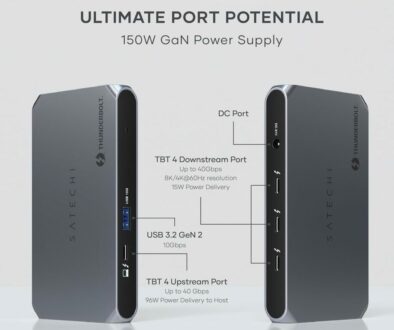
31. Thunderbolt 4/5 Docking Station (overkill for Neo, but worth noting)
The Neo doesn’t support Thunderbolt (only USB-C 3.2). However, a high-end USB-C docking station (like those from CalDigit, WAVLINK, Anker, UGREEN or Dell) can provide a single-cable connection to multiple monitors, Ethernet, audio, USB-A ports, and power delivery. Overkill for most students, but useful for those with elaborate desktop setups.


Search Thunderbolt Dock for MacBook on Amazon
Why this matters: A vertical stand costs £10–£20 and dramatically cleans up your desk when using external peripherals. A Thunderbolt Dock makes connecting your desk setup via a single USB-C connection.
Summary: The Complete Accessory Categories for Students
| Category | Examples | Priority for Neo Owners |
| Power & Charging | Power adapter, power bank, magnetic breakaway adapter | Essential (Neo has no included adapter) |
| Protection | Hard shell case, laptop sleeve, screen protector | Essential (students are hard on gear) |
| Connectivity | USB-C hub, Ethernet adapter, travel router | Highly Recommended (Neo has limited ports) |
| Data Storage & Backup | External SSD, USB flash drive, cloud storage | Highly Recommended (256GB fills fast, backups save degrees) |
| Audio | Noise-cancelling headphones, wired earbuds | Highly Recommended (focus and library etiquette) |
| Ergonomics & Comfort | Laptop stand, lap desk, wrist rest | Recommended (your spine will thank you) |
| Productivity (Input) | Backlit keyboard, mouse, numeric keypad, presentation remote | Recommended (solves Neo’s missing backlight) |
| Productivity (Display) | External monitor (portable or full-size), privacy screen | Recommended (dual-screen is transformative) |
| Desktop Transformation | Vertical laptop stand, USB-C hub with PD | Nice to Have (for students with a dedicated desk) |
| Security & Privacy | Privacy filter, webcam cover, Kensington lock adapter | Nice to Have (peace of mind in public spaces) |
Prioritise Based on Your Student Life
You don’t need all of these. Start with the Essential category (power adapter, protection). Then add based on how you actually work:
- The Library Warrior: Add noise-cancelling headphones, a portable monitor, and a privacy filter.
- The Dorm Desk Worker: Add an external monitor, backlit keyboard, mouse, and laptop stand.
- The Commuter: Add a power bank, laptop sleeve, and compact USB-C hub.
- The Creative Student: Add an external SSD for backups, a drawing tablet, and a portable monitor for colour-sensitive work.
- The Presentation-Giver: Add a presentation remote and a USB-C hub with HDMI.
The MacBook Neo is a blank canvas. The right accessories and only the right ones for your specific student life, will turn it from a budget compromise into your favourite piece of tech.